 CRMAI Docs
Channel Behaviours
Purpose
"Define AI behaviour and style overrides per communication channel." Lets you adjust how the agent talks differently on different channels, on top of the base Behaviour prompt.
ℹ️ Current limitation: "At the moment only WhatsApp is actively used by the AI backend at runtime. Other channels will be supported in the future." Adding a rule for another channel won't have any effect yet.
The Channel Behaviours table
Columns: Channel, Behavior Override, Style Override, Status, Actions. Empty by default — "No channel rules yet."
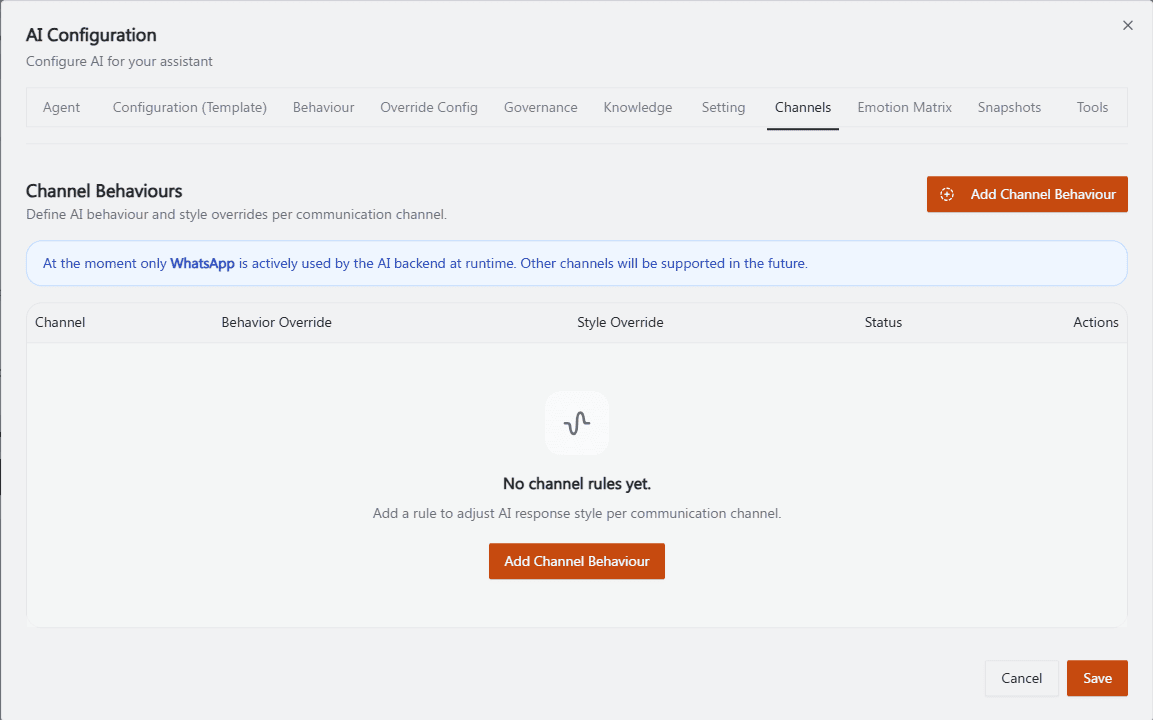
Recommended annotation: box the blue info banner about WhatsApp-only support at the top with a "read this first" callout, then arrow to the Add Channel Behaviour button. This screenshot's main job is setting the "only WhatsApp works" expectation before the reader configures anything.
Adding a channel behaviour
Click Add Channel Behaviour.
Select the Channel (currently:
whatsapp).Optionally write an Additional channel-specific instruction (example given in the UI: "Use a relaxed and informal tone in this channel.").
Optionally set a Response Style Override:
Language style (example:
casual)Verbosity (example:
medium)Warmth score
Empathy score
Allow emoji (toggle) — "Allow the AI to use emojis specifically for this channel."
Set Active status — "Disable the rule without deleting the entry," so you can turn a rule off temporarily without losing it.
Click Add Channel.
If every Response Style Override field is left empty, the app sends
responseStyleOverride: null— meaning no style override, not an override with blank values.
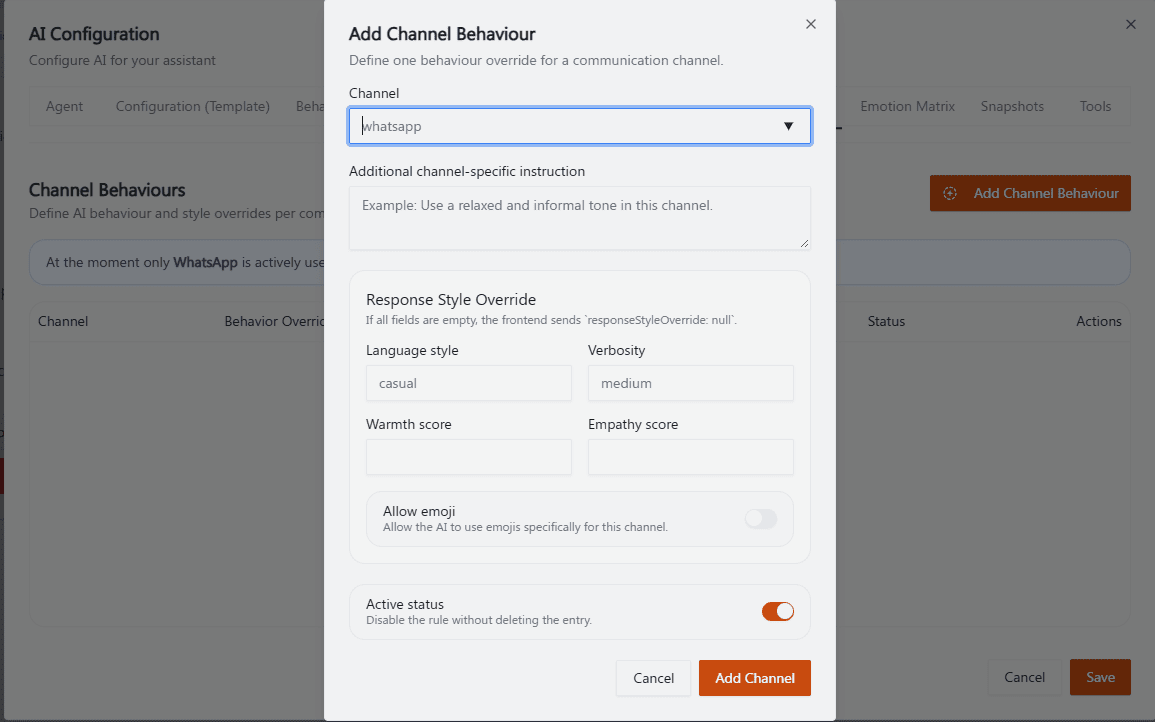
Recommended annotation: ①②③ number Channel dropdown, instruction textarea, and the Response Style Override group as three blocks (not five individual fields, since the four style fields + emoji toggle form one visual card already). ④ arrow to Active status at the bottom. Matches steps 2–5 in the numbered list above.
Operational guidance
Since only WhatsApp is live right now, don't spend time configuring rules for other channels — they won't take effect until CRMAI adds runtime support.
Use Language style and Verbosity for broad tone control; reserve Warmth score / Empathy score for fine-tuning once you've tested the broader settings.
Use Active status rather than deleting a rule when testing — it's easier to compare on/off behavior for the same configured rule.
Related: Behaviour: Agent Personality · Emotion Matrix · Connections Overview