 CRMAI Docs
Emotion Matrix
Purpose
"Define tone adjustments for detected customer sentiment." When CRMAI detects a customer's emotional state (e.g., angry, disappointed), the Emotion Matrix lets the agent automatically shift its tone in response — this is the real mechanism behind what earlier documentation loosely described as "Emotion Matrix & Channel Behaviours."
The Emotion Matrix table
Columns: Sentiment, Tone Adjustment, Template Override, Status, Actions. Empty by default — "No emotion rules yet."
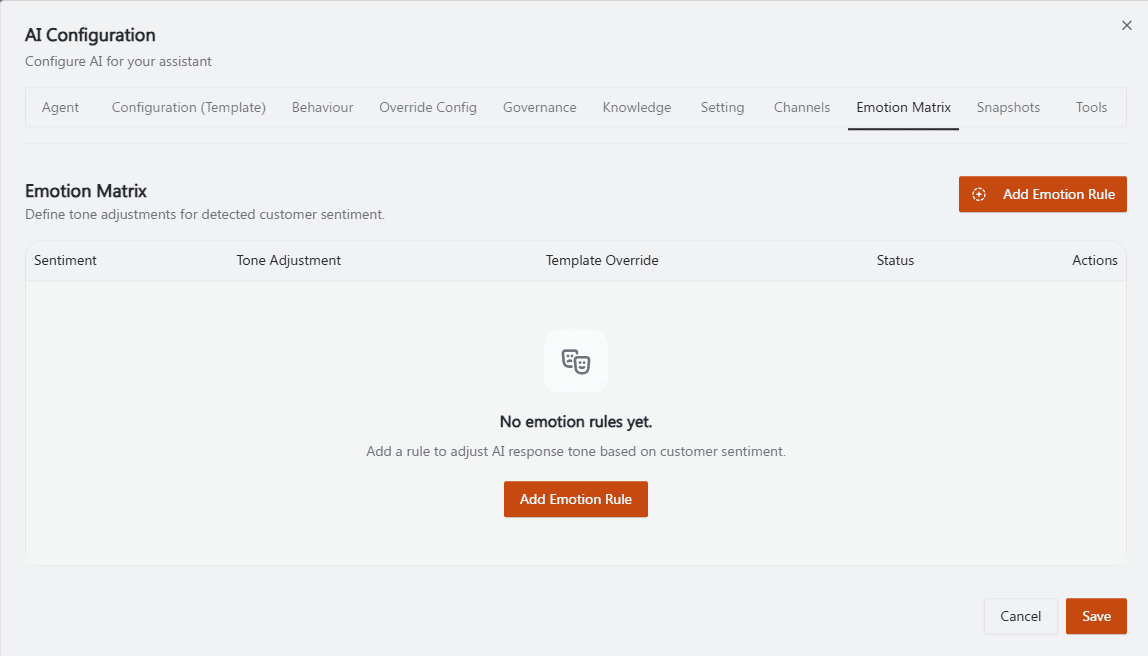
Recommended annotation: arrow to the Add Emotion Rule button — keep this one simple since it's just the entry point; the real detail belongs on the next screenshot.
Adding an emotion rule
Click Add Emotion Rule.
Select or type a Sentiment (example shown:
angry). "Choose a preset sentiment or type a custom label. The sentiment cannot be changed after creation."Optionally set a Tone Adjustment:
Increase warmth
Increase empathy
Response speed (example:
normal)
Optionally write a Custom reply template (example given: "I'm sorry for the inconvenience. I'll help resolve this right away.").
Set Active status — disable the rule without deleting it.
Click Add Rule.
If every Tone Adjustment field is left empty, the app sends
toneAdjustment: null.
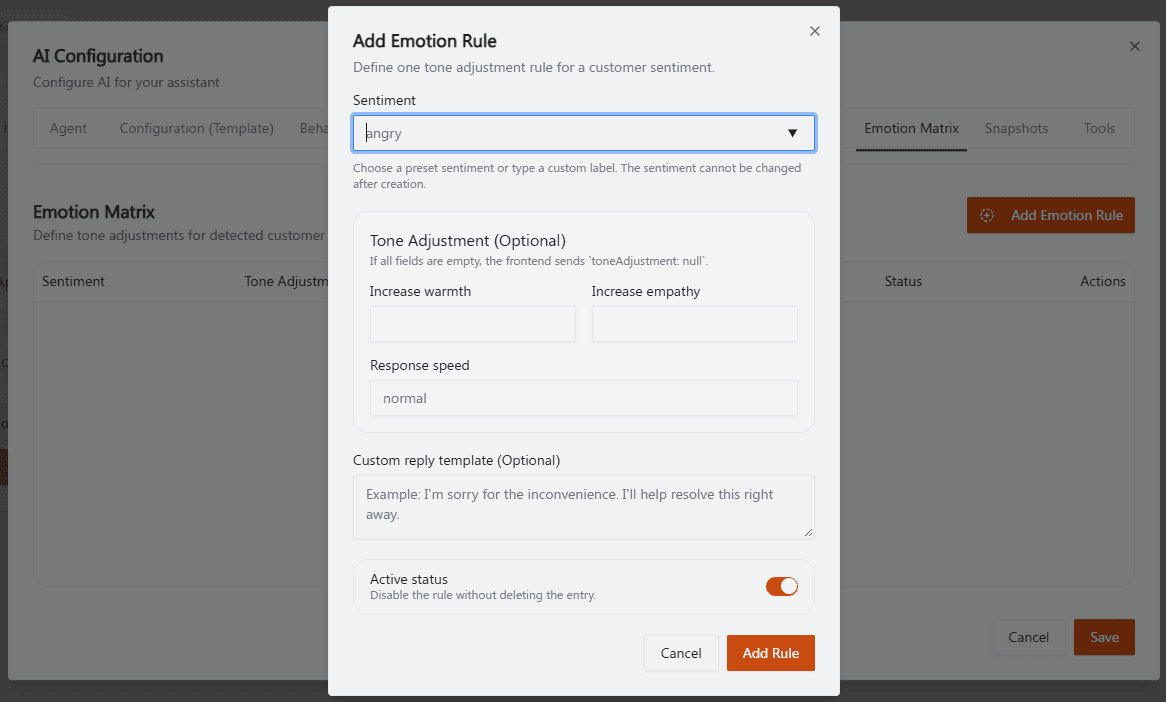
Recommended annotation: ① box Sentiment with a red lock icon overlay + label "cannot change after creation" — this is the single most important warning on the page and deserves the most visually prominent callout. ② bracket the three Tone Adjustment fields together. ③ box Custom reply template. ④ arrow to Active status. Numbers match steps 2–5 above.
⚠️ Important: since the sentiment label cannot be changed after a rule is created, double-check the spelling/choice before clicking Add Rule — fixing a typo means deleting and recreating the rule rather than editing it in place.
Operational guidance
Start with the most common negative sentiments your business sees (e.g.,
angry,frustrated,confused) rather than trying to cover every possible emotion upfront.Write a genuinely apologetic, specific Custom reply template for negative sentiments — a generic "sorry for the inconvenience" can read as dismissive if it's the same for every complaint.
Combine a lower Response speed or higher empathy setting with a lower Governance Autonomy Level for angry customers, so the agent leans toward escalating to a human rather than trying to fully resolve a heated situation on its own.
Related: Behaviour: Agent Personality · Setting & Escalation · AI Audit