 CRMAI Docs
Behaviour: Agent Personality
Purpose
This is the system prompt — the actual AI prompt that shapes how the agent speaks and behaves in every conversation. This is distinct from the short Agent Tasks & Role field on the Agent tab; Agent Personality is the detailed, full prompt.
The Agent Personality field
A single large text field labeled Enter Agent Personality. There's no required structure enforced by the UI, but a well-written prompt typically includes:
The agent's role and scope (what it should and shouldn't help with).
Tone and language rules.
Hard constraints (e.g., what it must never promise).
Escalation instructions (when to suggest a human agent).
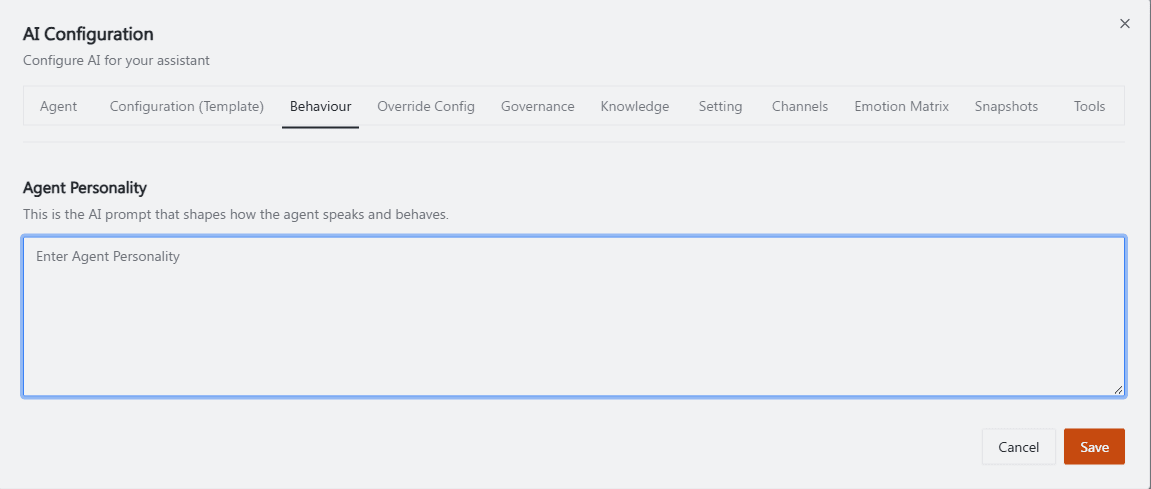
Recommended annotation: capture this one with the textarea pre-filled with the example prompt shown further down this page (rather than empty placeholder text), and box the four rule categories directly in the sample text with small side labels: "role/scope", "tone rules", "hard constraints", "escalation instruction" — turning the screenshot itself into a mini-template readers can copy the structure from.
Writing a good system prompt
Be explicit about the agent's main task and scope — don't leave room for the AI to improvise outside its role.
List hard rules as a numbered list (tone, what not to promise, escalation behavior) rather than a single paragraph.
Always include an escalation instruction so customers aren't left without a path to a human — pair this with the Handoff prompt and Human handoff toggle in Setting & Escalation.
Avoid instructions that could let the AI make commitments the business can't honor (unauthorized discounts, guarantees, legal claims).
Example structure:
You are a Customer Service Assistant from CRMAI.id. Main task: Answer questions related to CRM features, pricing plans, and how to connect WhatsApp.
Rules:
Use friendly and polite English.
Do not promise discounts outside of official plans.
If a customer asks to speak with a human, suggest they wait for our human agent.
How this relates to other tabs
The Configuration Template selected in Model Profiles & Configuration Templates sets a baseline tone/personality; Agent Personality here layers your agent-specific instructions on top of it.
Channel Behaviours and Emotion Matrix can further adjust tone per channel or per detected sentiment, on top of what's written here.
Governance settings (autonomy, decision scope) constrain how far the agent can act on its own, regardless of what the prompt says.
Operational guidance
Test the personality with a few adversarial questions (rude customer, pricing negotiation, off-topic request) using Try Live before enabling it for live traffic.
Keep the prompt in sync with actual current pricing/policy — outdated promises in the prompt can create support issues.
Review and version this over time; check Snapshots to see exactly what changed between versions.
Related: Model Profiles & Configuration Templates · Setting & Escalation · Emotion Matrix · Snapshots