 CRMAI Docs
Snapshots
Purpose
"Immutable configuration history created automatically whenever the agent changes." Every time you save a change to an agent's configuration (Agent, Behaviour, Governance, Tools, etc.), CRMAI automatically records a snapshot — you don't need to trigger this manually.
The Snapshot History table
Columns: Status, Hash, Template, Model Profile, Template Ver., Created, Actions.
Column | Meaning |
|---|---|
Status | e.g. Active — the snapshot currently in effect. |
Hash | A unique identifier for that configuration state (e.g., |
Template | The Configuration Template in effect at that snapshot, if any. |
Model Profile | The Model Profile in effect at that snapshot, if any. |
Template Ver. | Version of the template at that point. |
Created | Relative time since the snapshot was created (e.g., "1 hour ago"). |
Actions | Detail — view the full configuration captured in that snapshot. |
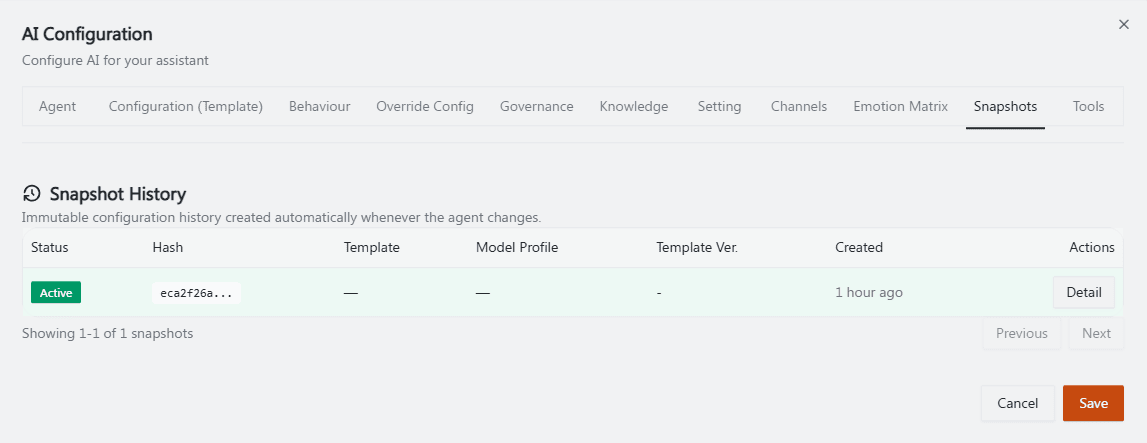
Recommended annotation: box the Status column value "Active" in green, arrow to the Hash value, and arrow to the Detail action button — ideally capture a workspace with 2–3 historical snapshots (not just one) so the "history" aspect of this page is visually obvious.
Operational guidance
Use Snapshots as your audit trail before and after any Governance, Tools, or Behaviour change — if an agent starts behaving unexpectedly, check whether a recent snapshot correlates with the change.
Because snapshots are automatic and immutable, you don't need a separate manual "backup before editing" step — but it's still worth noting why you made a change somewhere your team can see, since the snapshot records what changed but not necessarily why.
Click Detail on a snapshot to compare it against the current configuration when troubleshooting a regression.
Related: Override Config · Governance & Autonomy