 CRMAI Docs
Plans, Billing & AI Tokens
Purpose
Manage your business subscription, WhatsApp connection limits, and AI token quota from one place.
Access
Dashboard:
/{locale}/dashboard/billing
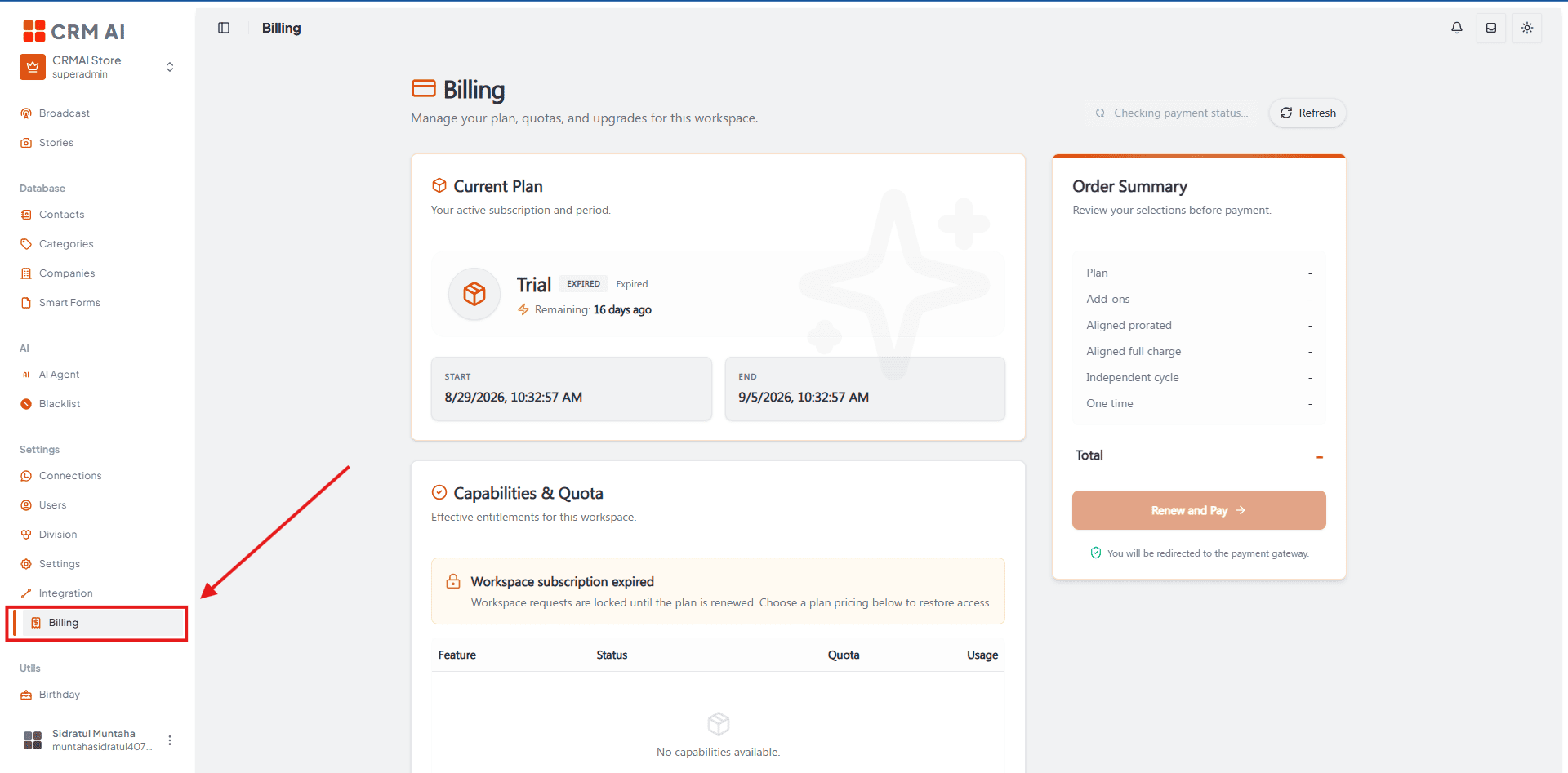
Expired workspace status
If your workspace's active period ends — whether from a trial or a paid subscription — you can still log in, but access to every feature is temporarily blocked and you're automatically redirected to the Billing page.
Payment permission: Only Superadmin can complete a subscription renewal. Users with the Admin or Member role can still view the Billing page, but don't have permission to make a payment. See User Roles & Permissions for the full role breakdown.
Automatic recovery: Once payment is verified, the system immediately creates a new subscription, restores access to every feature, and automatically reconnects any WhatsApp connections that were disconnected.
How to renew your subscription
While a workspace is expired, you must renew the main plan before you can use CRMAI's features again.
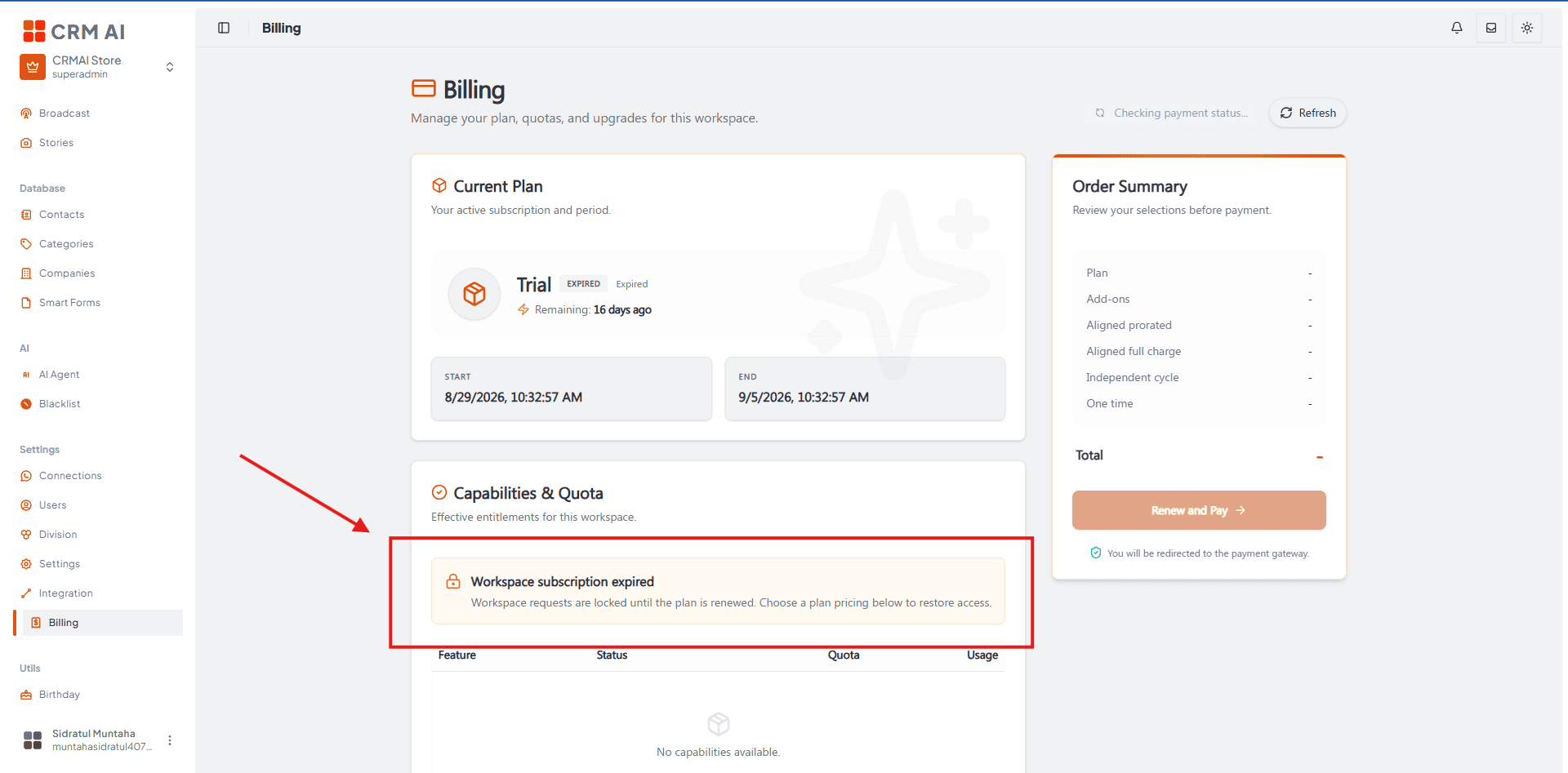
Choose your plan — renew with the same plan you had before (your last plan appears as an option automatically) or upgrade to a higher tier.
Add optional add-ons — adjust quota or extra features as needed. Note: while the workspace is expired, you can't complete a payment for add-ons alone — add-ons must be purchased together with the main plan.
Review the order — check the billing summary in Order Summary, then click Renew and Pay.
Complete payment — you're redirected to a secure payment page. Review your order details, then choose an available payment method such as GoPay, Virtual Account, or Credit Card.
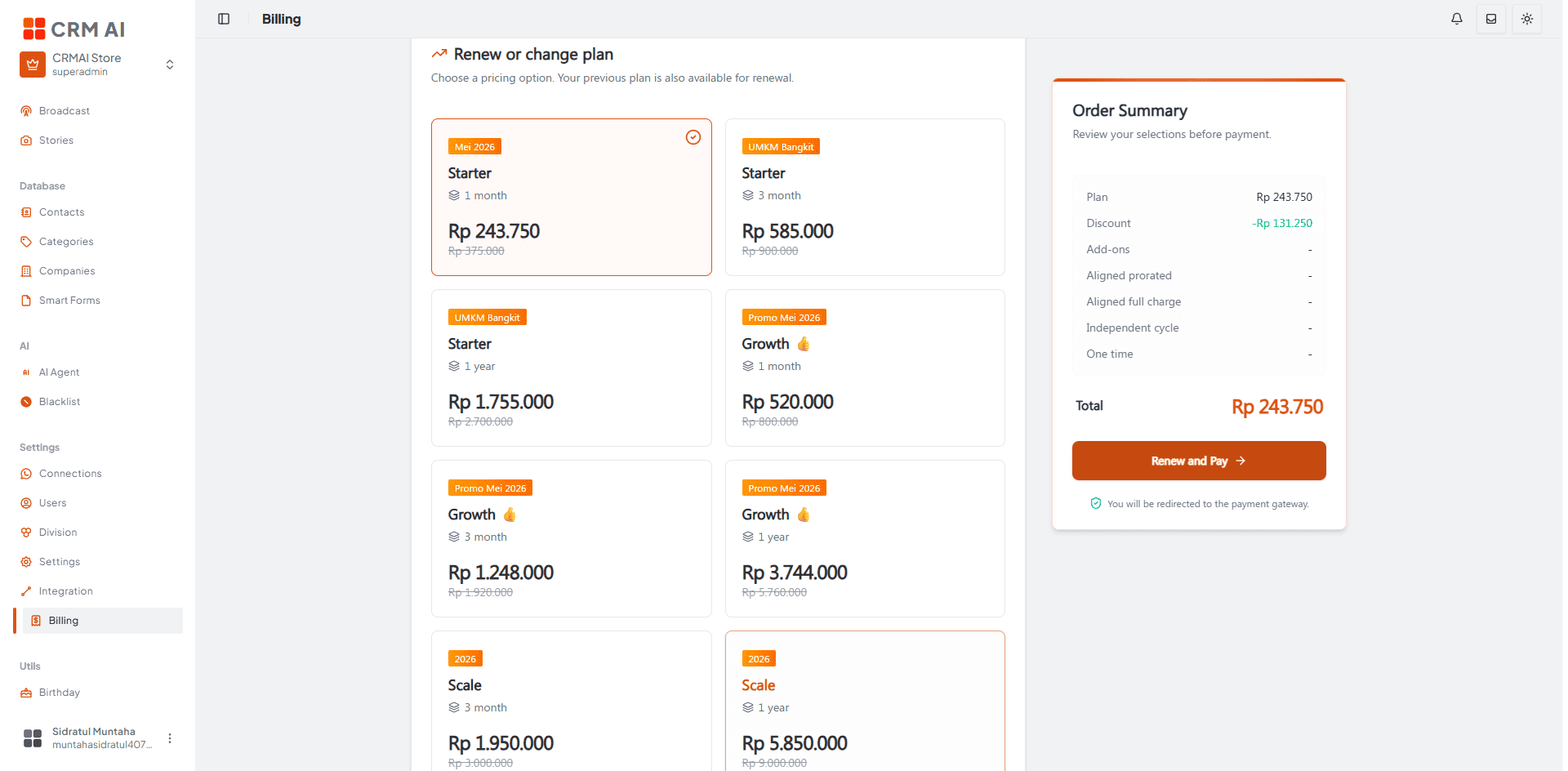
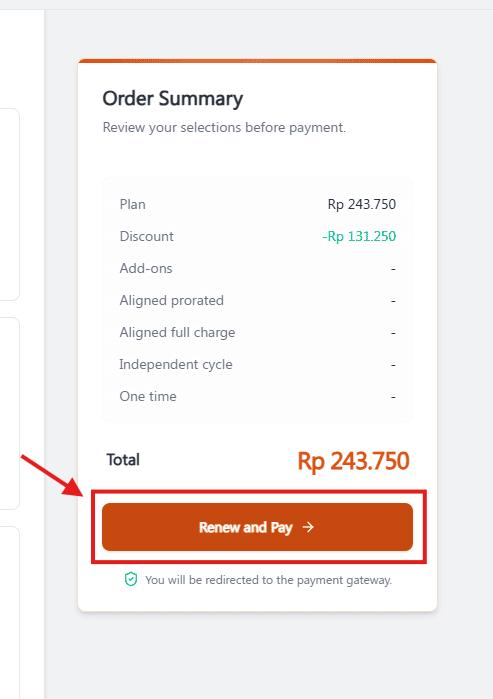
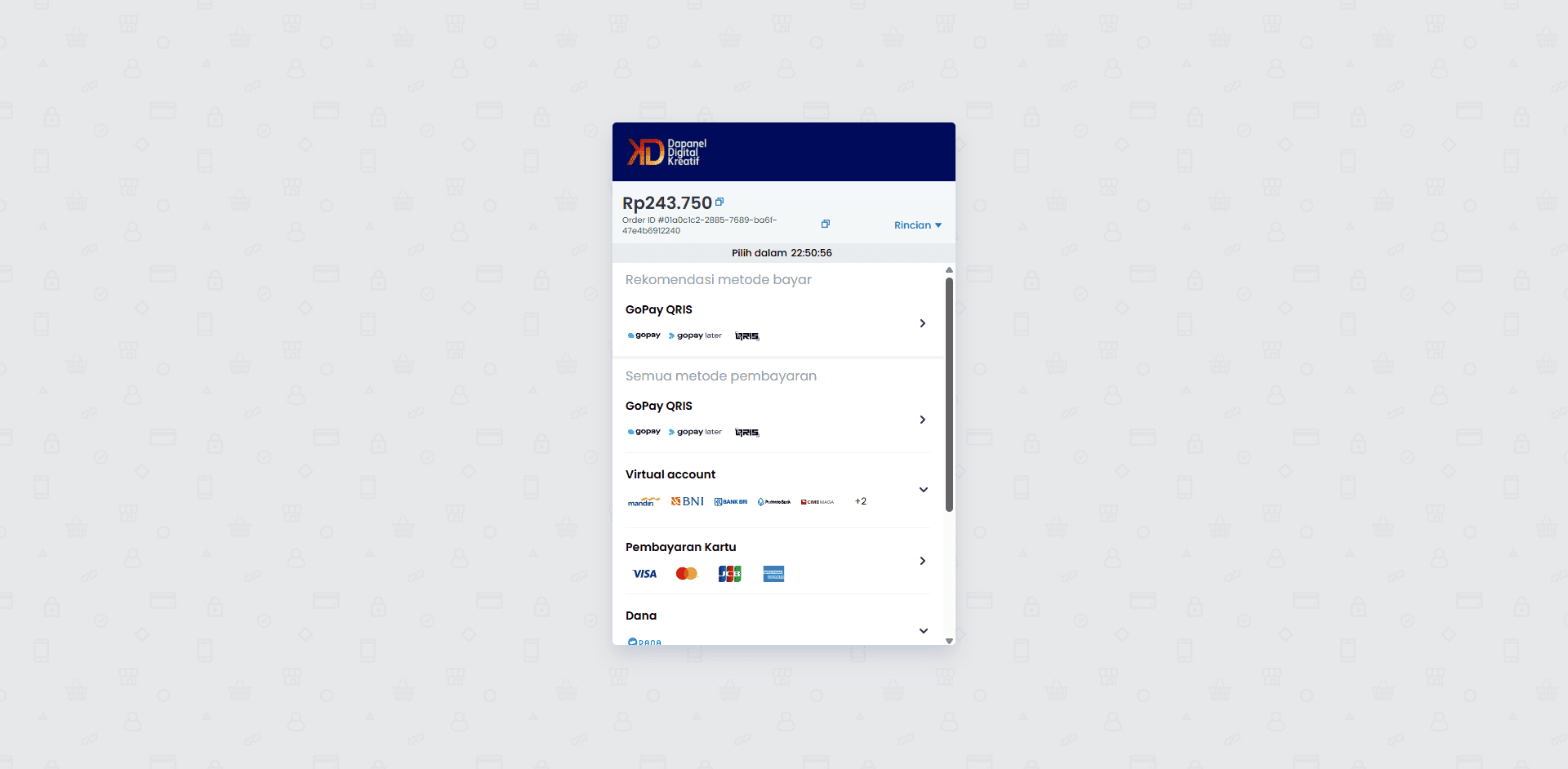
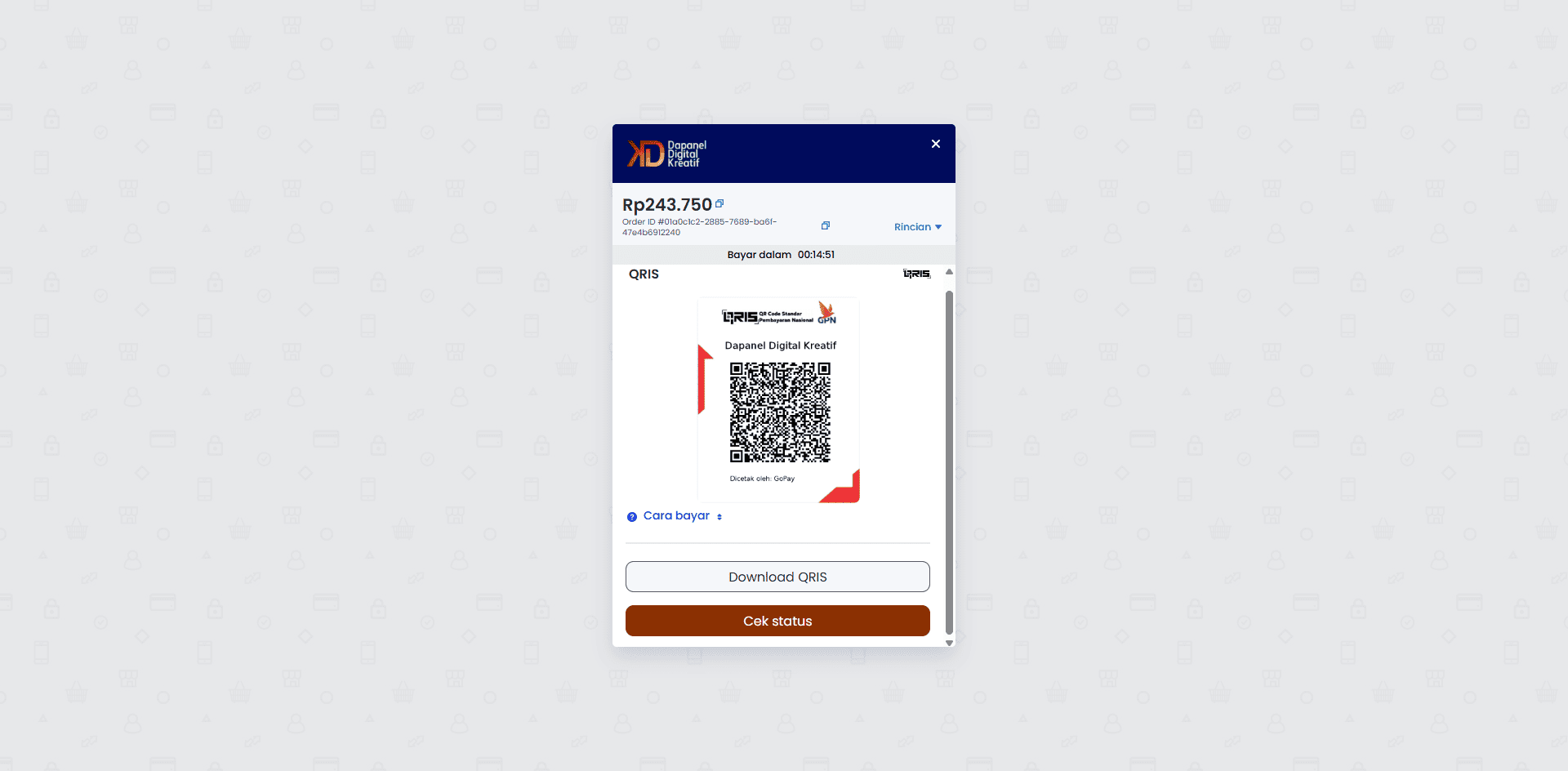
Recommended annotation: ①②③④ number the four steps above directly on their corresponding screenshot regions (plan selection, add-ons, Order Summary, Renew and Pay). On the Midtrans screenshots, box the payment method list and note that availability (GoPay/Virtual Account/Credit Card) depends on the payment provider configuration.
Plan options
Switch between monthly or annual billing cycles. Higher-tier plans come with larger WhatsApp connection limits.
Compare available plans before upgrading or downgrading — higher-tier plans have larger WhatsApp connection limits.
Annual billing is typically more cost-effective than monthly if you plan to stay on CRMAI long-term — confirm the exact discount on the current pricing page.
AI Token top-up
If your monthly AI response token quota is depleted, purchase additional tokens directly from the Add-ons section of the Billing page.
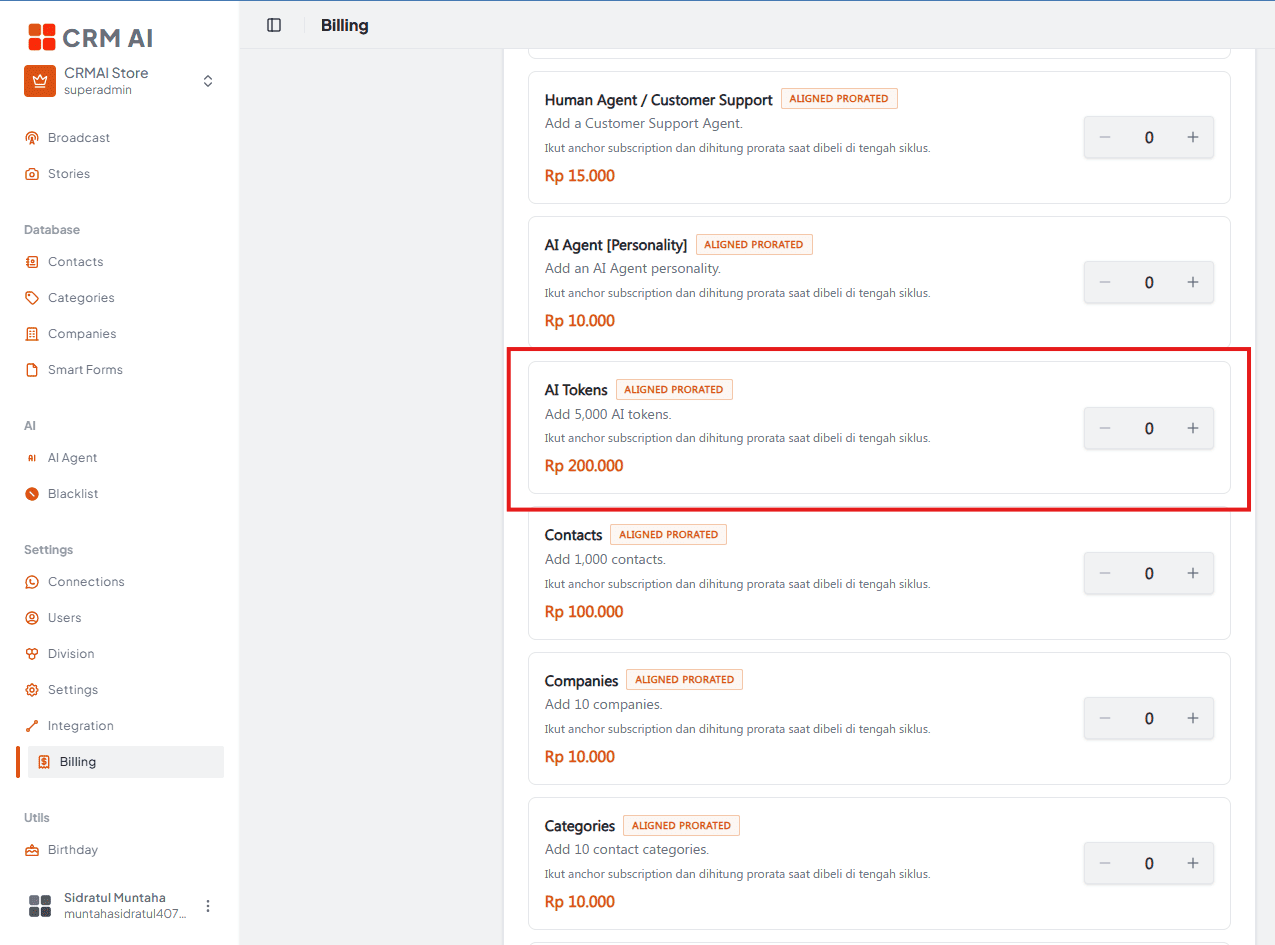
Keep in mind which workflows consume response tokens, so you can anticipate when a top-up will be needed:
Feature | Token cost |
|---|---|
AI Audit | 10 tokens per audit |
AI Agent replies | Consumes tokens per response (exact rate depends on your plan) |
Check the AI Usage tab under Analytics regularly if you run high-volume workflows like AI Audit across many tickets, to avoid running out of tokens unexpectedly.
Invoice history
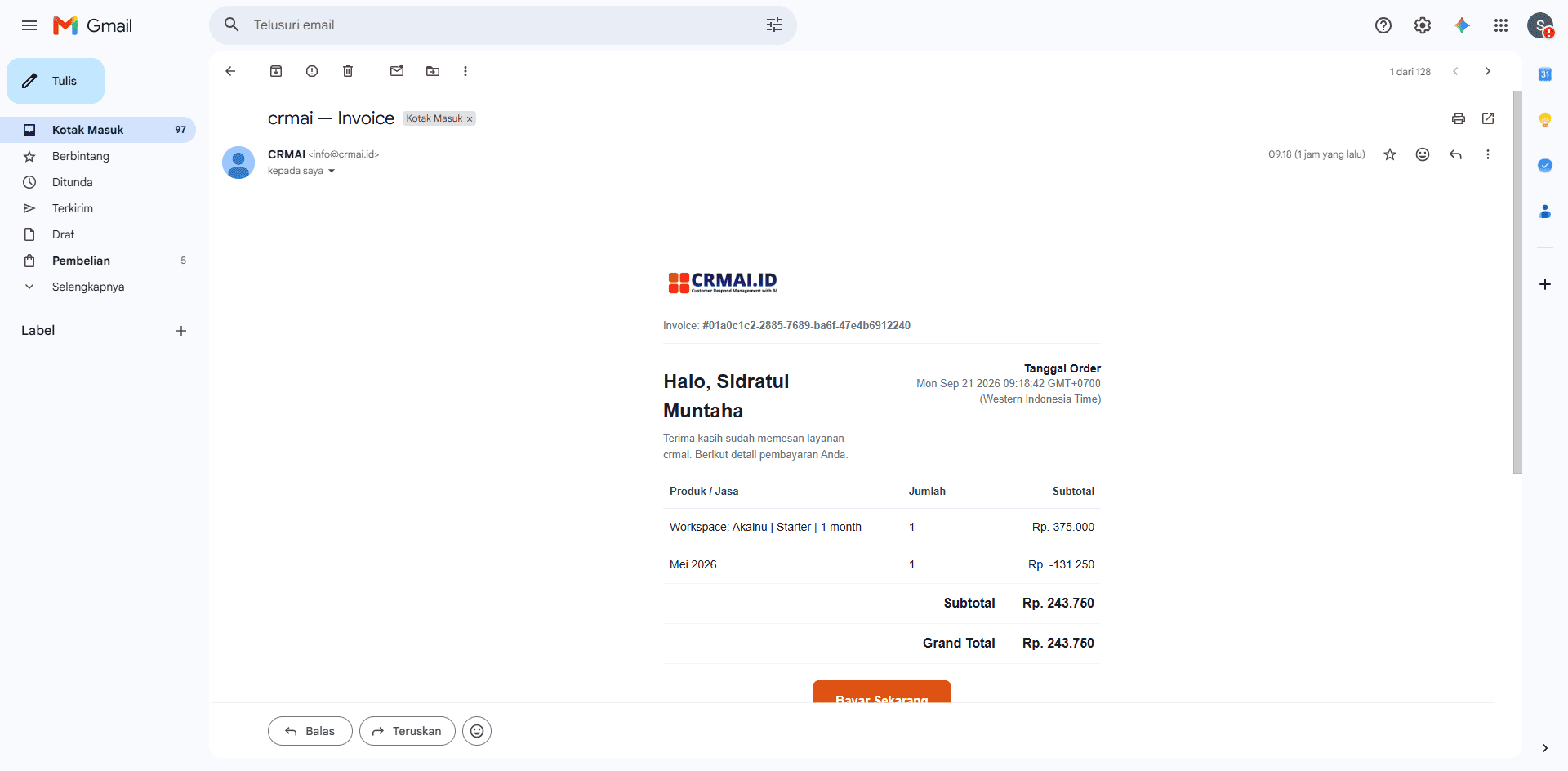
Official invoices for your company's bookkeeping are sent automatically to your registered email once payment succeeds. You can also download them from the Billing page.
Troubleshooting
Feature locked even though you already paid? Confirm you're in the correct workspace — check the workspace switcher in the left sidebar, since plans and billing are workspace-scoped.
AI suddenly stopped replying? Before assuming it's a configuration issue, always check your remaining AI token balance on the Billing page.
Invoice not found? Check the billing period and confirm you're in the correct workspace before contacting our support team.
Can't complete a renewal payment? Confirm you're logged in as a Superadmin — Admin and Member roles can view Billing but can't pay.
Related: Onboarding & Workspace Creation · User Roles & Permissions · Analytics (AI Usage) · CS Support & Technical Assistance