 CRMAI Docs
Instagram Setup
Instagram connections use the Instagram Meta provider and handle Instagram Business direct messages. You connect by signing in with Instagram.
Before you start
You can add connections in your CRMAI workspace. If you can't see the controls below, ask a workspace administrator to check your access.
You can sign in to the Instagram account you want to connect.
The account is an Instagram Business or Creator account. A Facebook Page isn't required. Availability depends on your account's eligibility with Meta and on your workspace configuration.
Your browser allows redirects and popups from Meta.
Connect Instagram
Click Add Channel.
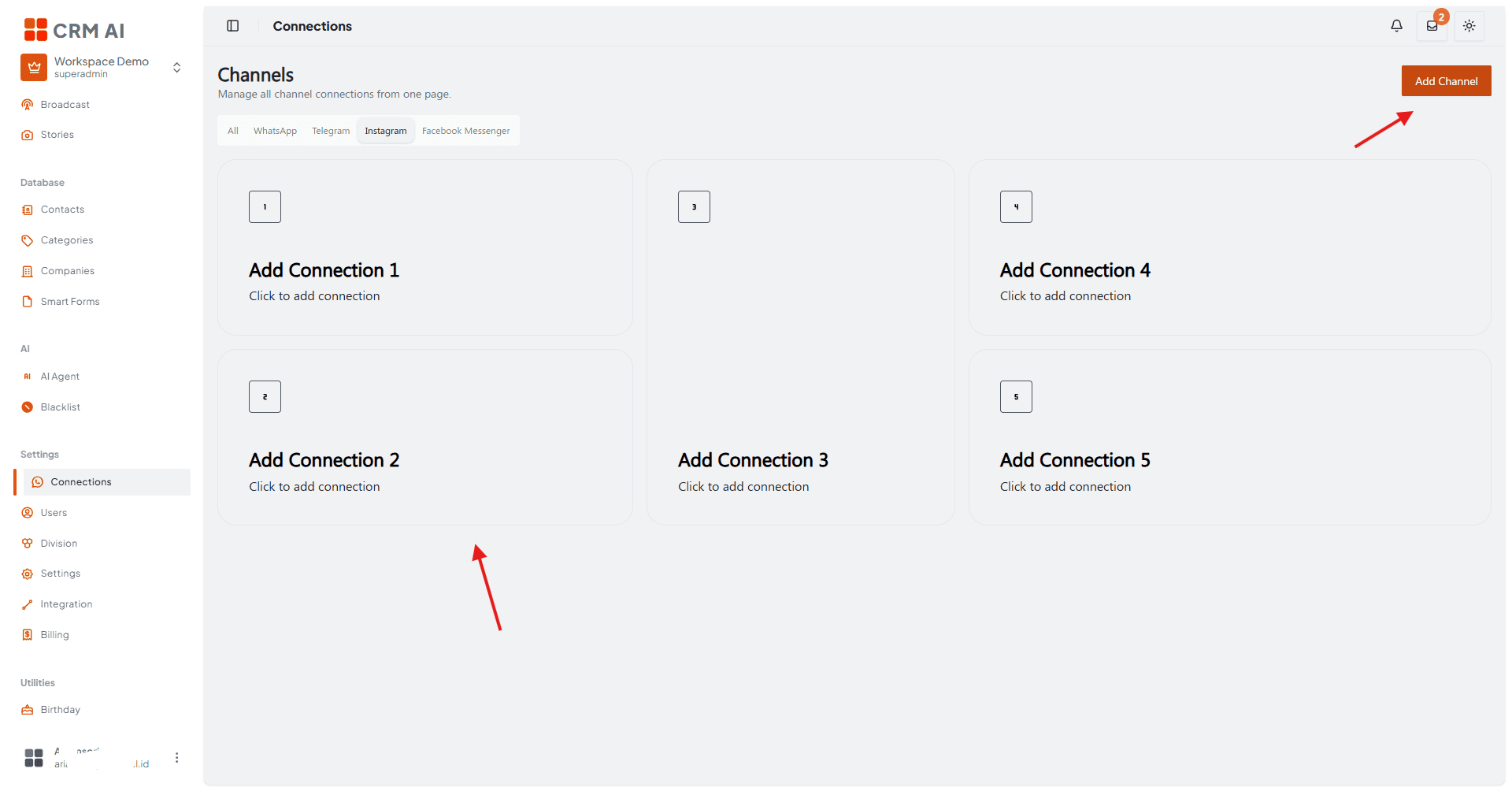
Enter a Connection Name.
Select the target division(s).
Select Instagram as the channel and confirm the provider is Instagram Meta.
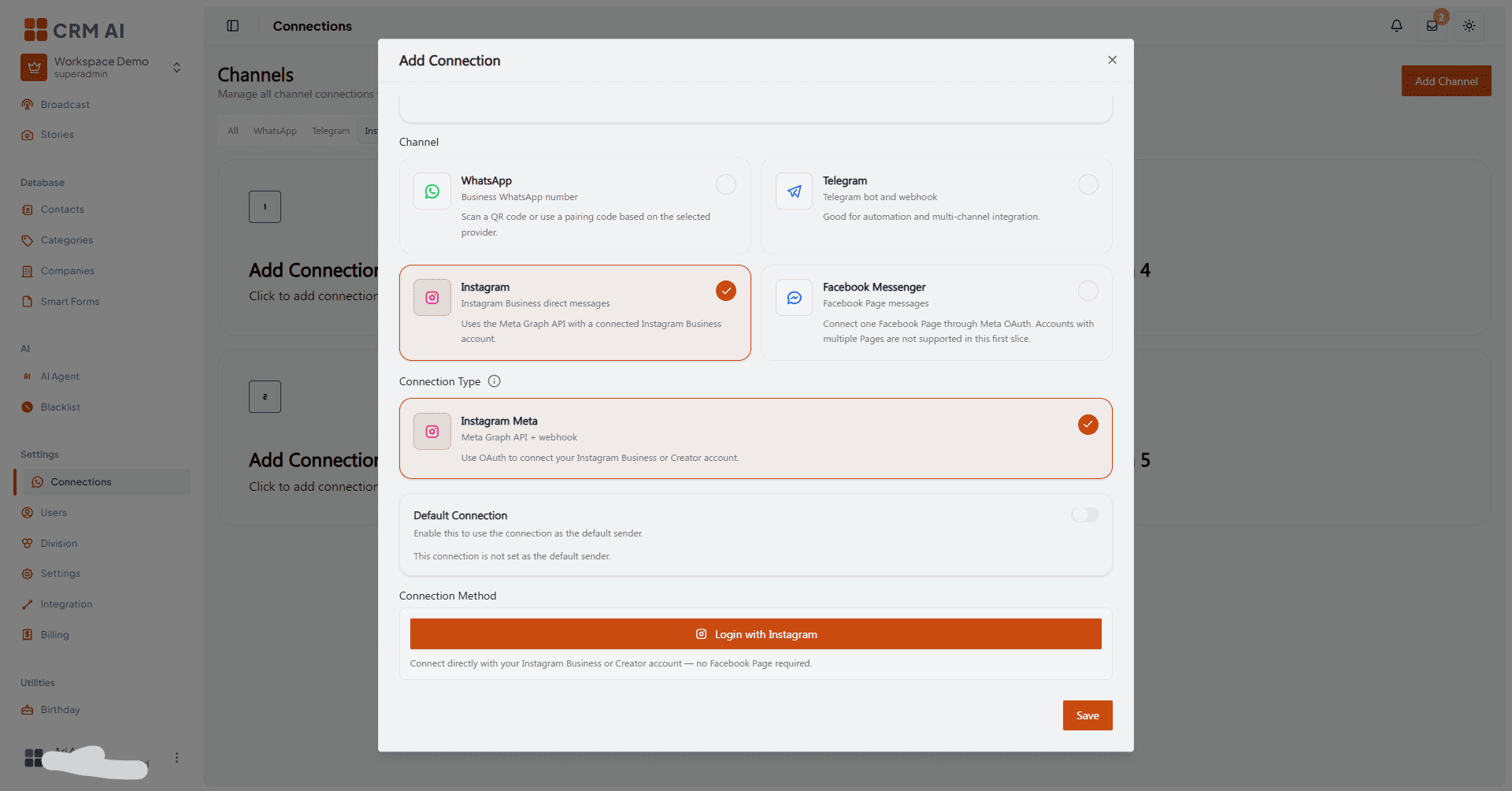
Click Login with Instagram.
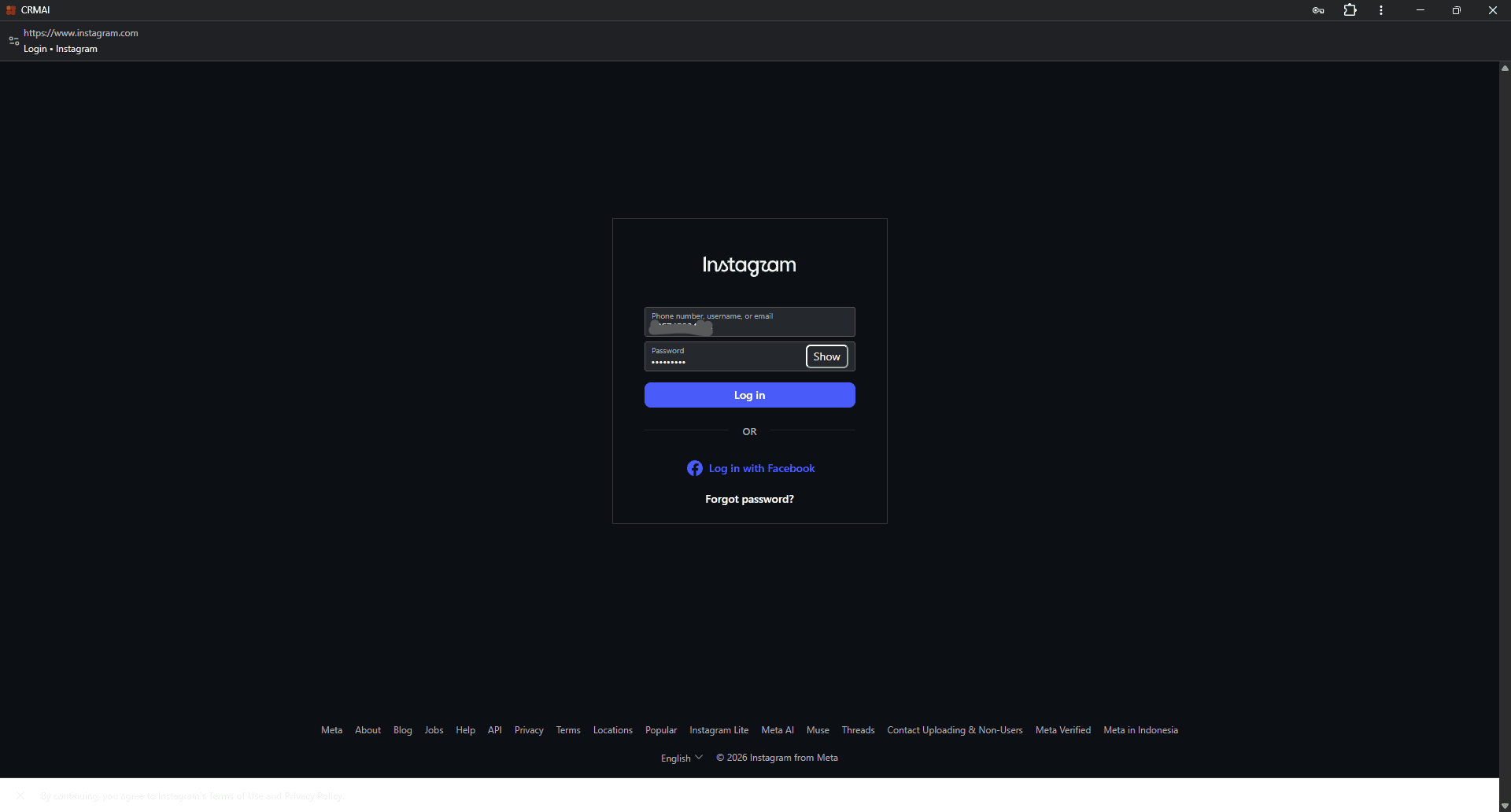
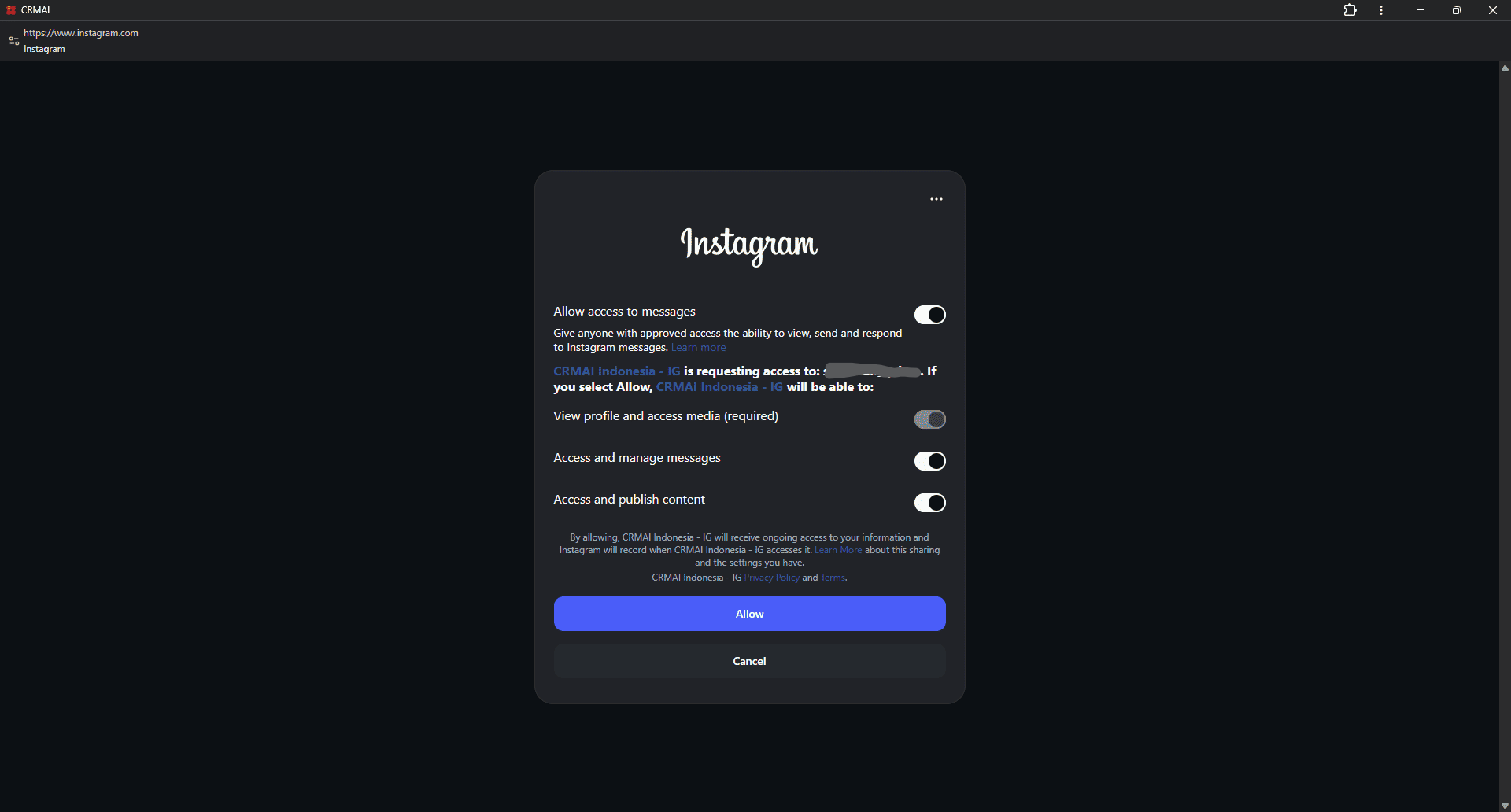
Sign in and authorize access in the Meta/Instagram window.
Return to CRMAI, confirm the success notification, and check the new connection on the Connections page.
Troubleshooting
Login fails. Check that:
The account is a Business or Creator account and is eligible for the integration.
You completed every authorization step.
Your browser didn't block the redirect or popup.
The account allows message access for this connection.
If it still fails, contact your workspace administrator. The workspace's Meta configuration may need to be checked.