 CRMAI Docs
Brodcast
Purpose
The Broadcast feature allows you to send mass messages to hundreds or thousands of contacts simultaneously. The main advantage of this feature is that you can send messages to recipients without needing to save their numbers first, provided the number has previously interacted with the system or shares the same WhatsApp group.
Navigation
Access the menu via the sidebar: Messages > Broadcast
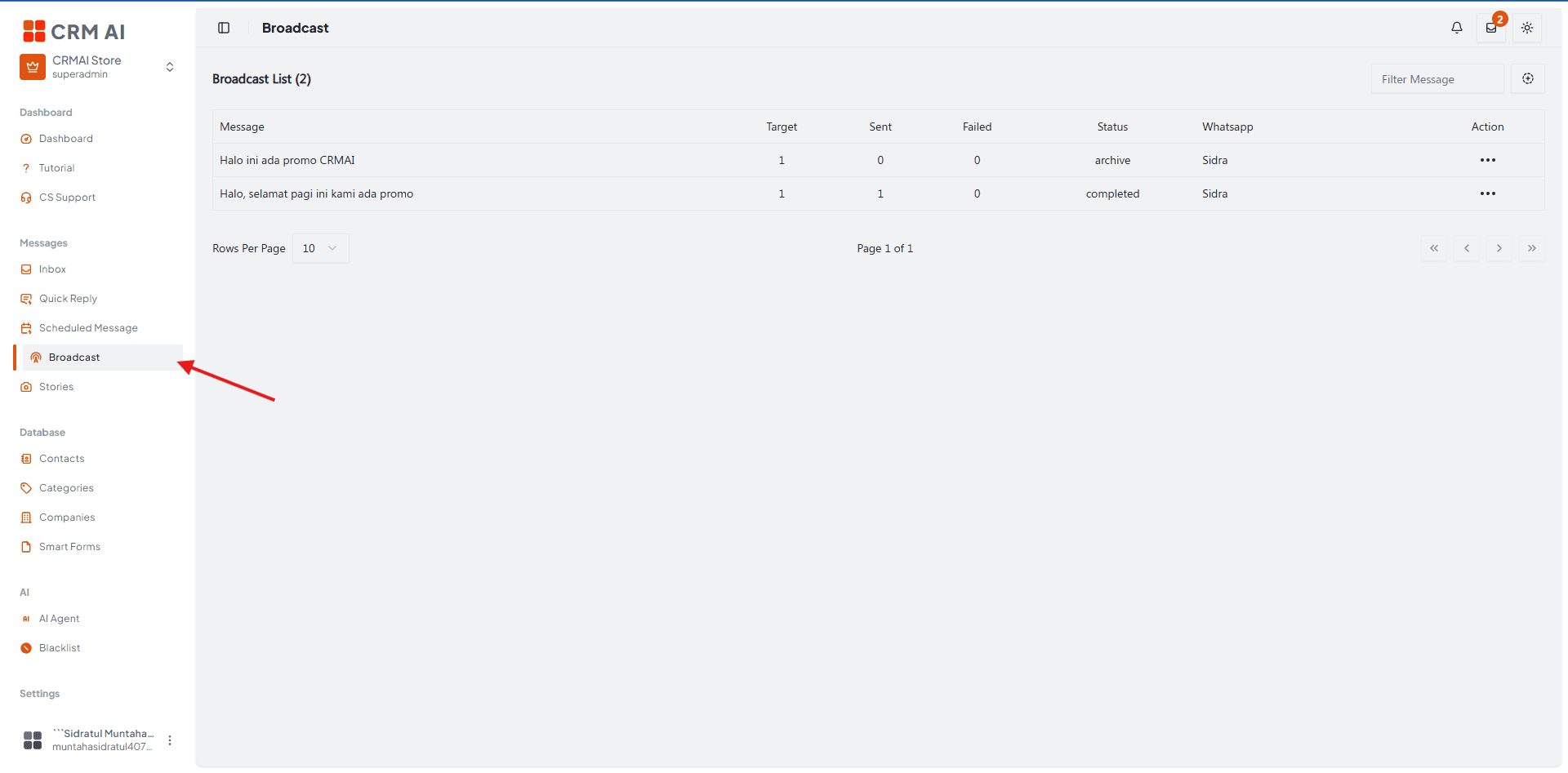
How to Create a Broadcast Message
Open the Broadcast Form: Click the
+/ Add button icon in the top right corner of the broadcast list page.
Select Sending Device: Choose an active WhatsApp sender number (Sending Device).
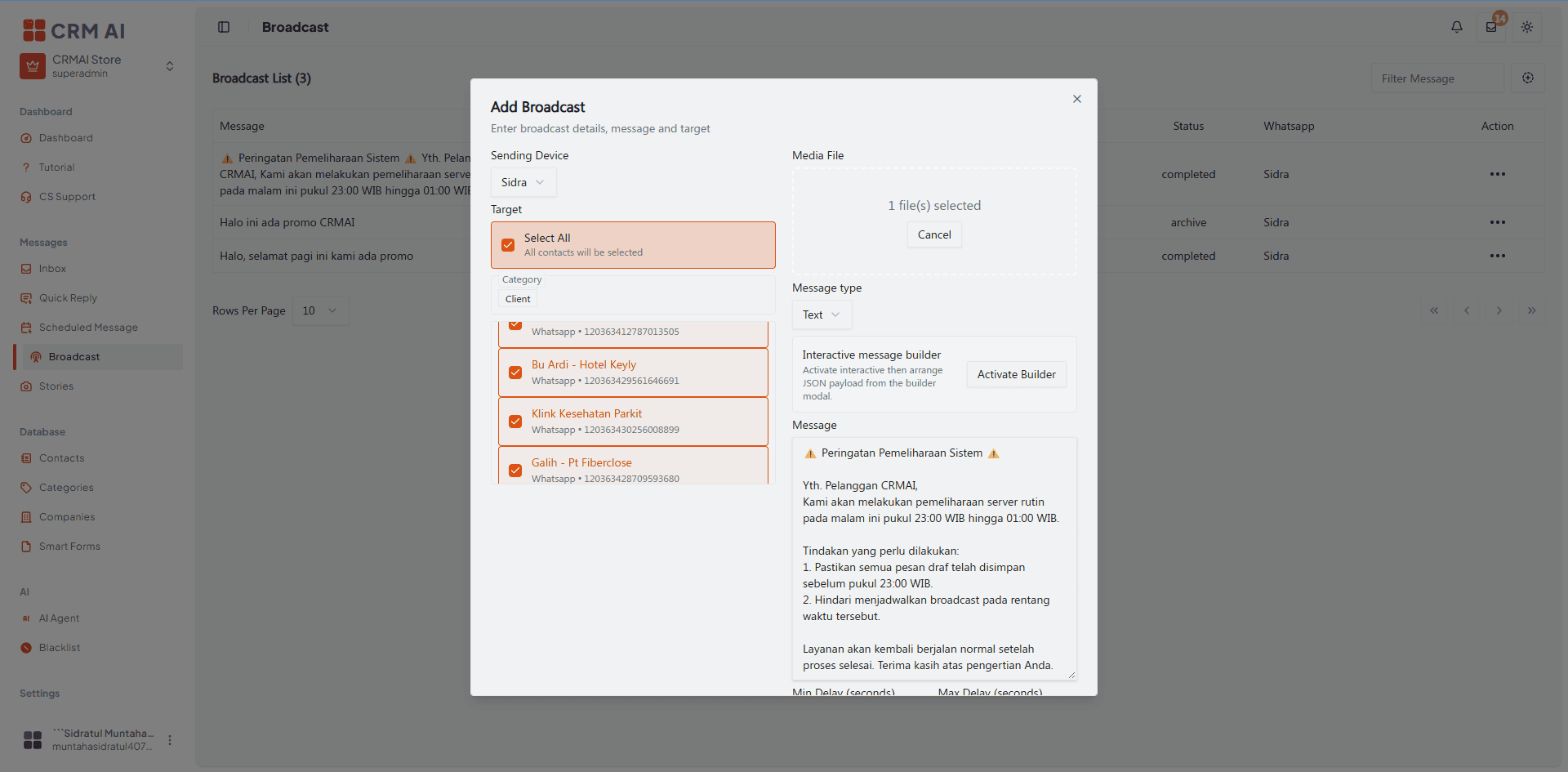
Determine the Target Recipients: Choose one of three target selection methods:
All Contacts: Send to all contacts in the database.
Category / Tags: Send based on a specific customer category (e.g., Client).
Manual Selection: Pick specific contacts one by one.
Upload Media (Optional): Attach an image or document file (JPG, PNG, MP4, PDF) if needed.
Write Message & Message Type:
Select the message type (Text or Interactive if supported by your WhatsApp connection).
Type your broadcast message content in the message field.
Set Sending Delay: Set the Min Delay and Max Delay (in seconds) to provide random intervals between sent messages to avoid being detected as spam by WhatsApp. (Recommended default: Min 5 seconds / Max 10 seconds).
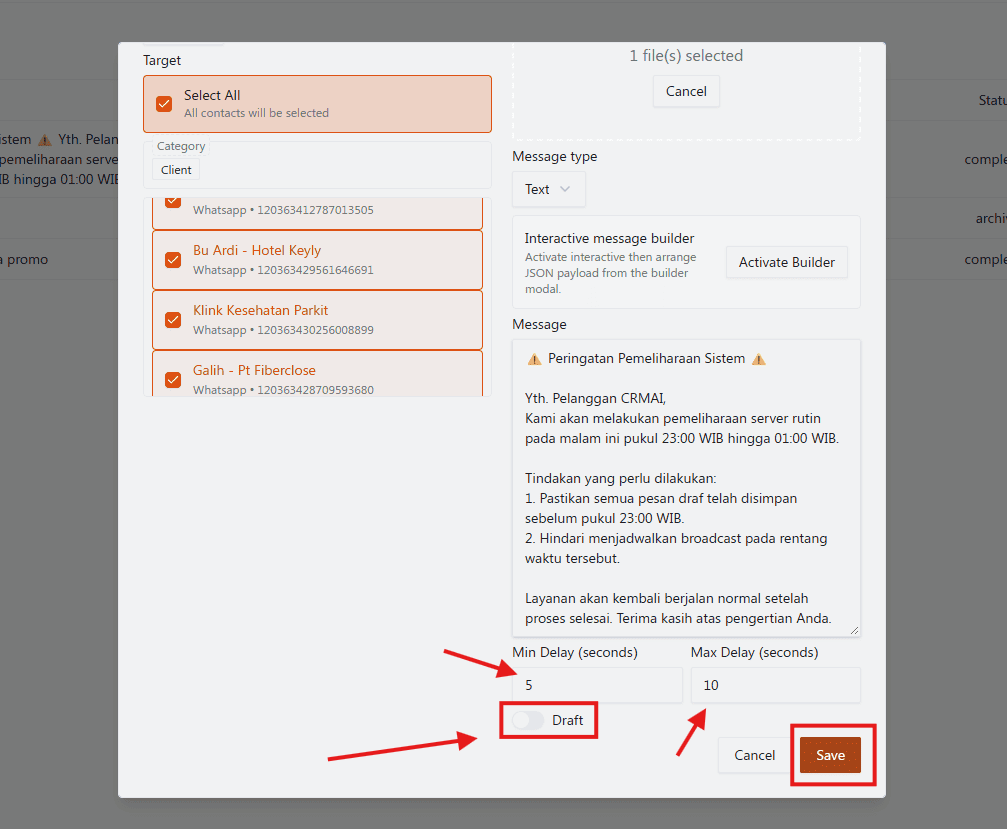
Select Save / Send Mode:
Enable Draft (Draft Toggle ON): Save the message as a draft to be reviewed or sent later.
Disable Draft (Draft Toggle OFF): The message will directly enter the sending queue once saved.
Execute: Click Save to save or start sending.
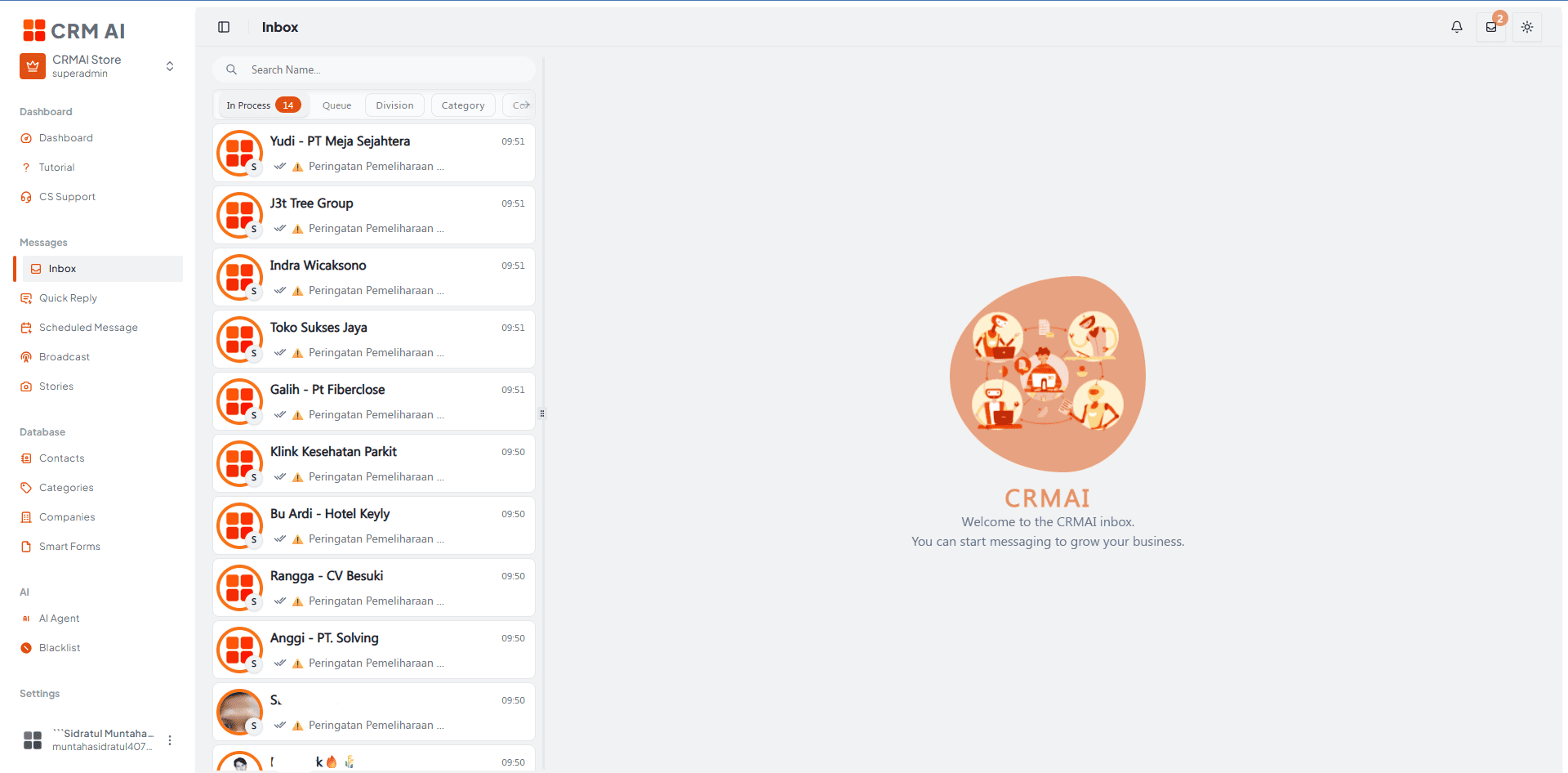
Broadcast Management & Status
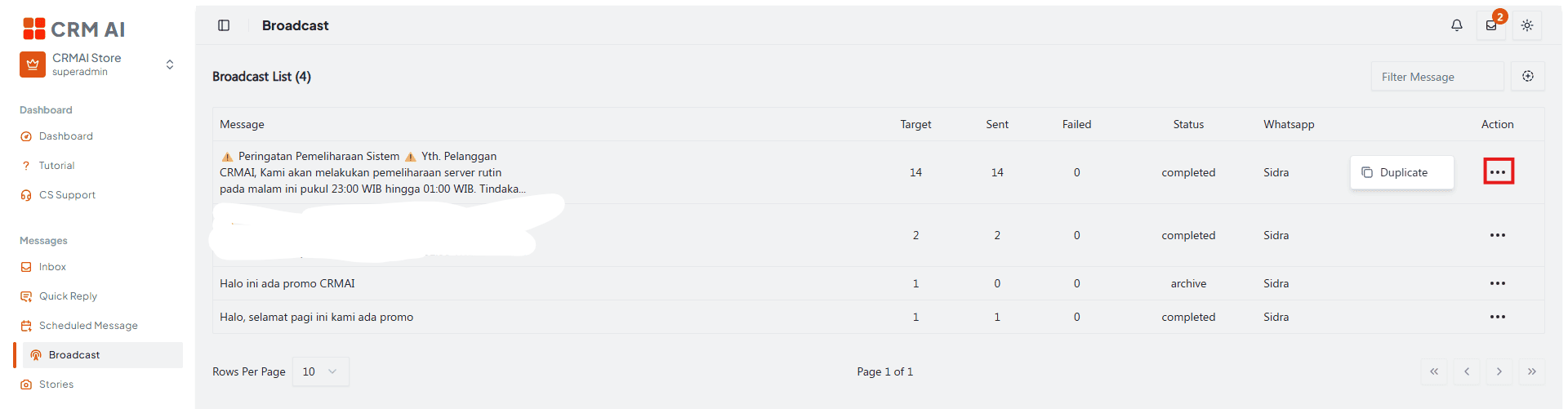
The broadcast list displays the sending history along with metrics for target count, sent messages, and failed messages.
Broadcast Status:
Active: Message sending is in progress.
Completed: All messages have been successfully sent.
Archive: Message is saved as an archive/draft.
Failed: A technical issue occurred during sending.
Actions:
Duplicate: Duplicates the settings and message content from a previous broadcast for reuse.
Tips & Best Practices for Safe Sending (Anti-Ban)
To maintain your WhatsApp number's reputation and avoid getting banned:
Use Sending Delays: Always use the random delay feature (minimum 5–15 seconds) and avoid sending everything at once in a single second.
Conduct Test Campaigns: Save the message as a Draft first, then run a test send to an internal number to ensure text formatting, media attachments, and variable rendering are correct.
Personalize Messages: Use natural language relevant to the recipient's preferences, and avoid excessive use of symbols/emojis.
Gradual Sending: If the target reaches thousands of contacts, split the broadcast into several sessions over different timeframes or days.
Appropriate Sending Times: Send messages during reasonable business hours (e.g., 09:00–11:30 AM or 02:00–04:00 PM).
Secure Links: Use direct HTTPS URLs and avoid URL shorteners like bit.ly, which are often flagged as phishing indicators.