 CRMAI Docs
Analytics
Purpose
Analytics provides operational visibility into ticket activity, growth, form performance, AI usage, and related customer-service metrics. In the current application, analytics is distributed across dashboard and feature-specific pages rather than exposed as one standalone analytics route.
Locations
Main dashboard:
/{locale}/dashboardSmart Form analytics:
/{locale}/dashboard/smart-forms/{formId}/analyticsAI usage:
/{locale}/dashboard/usage-aiInbox and AI Audit results:
/{locale}/dashboard/kotak-pesan
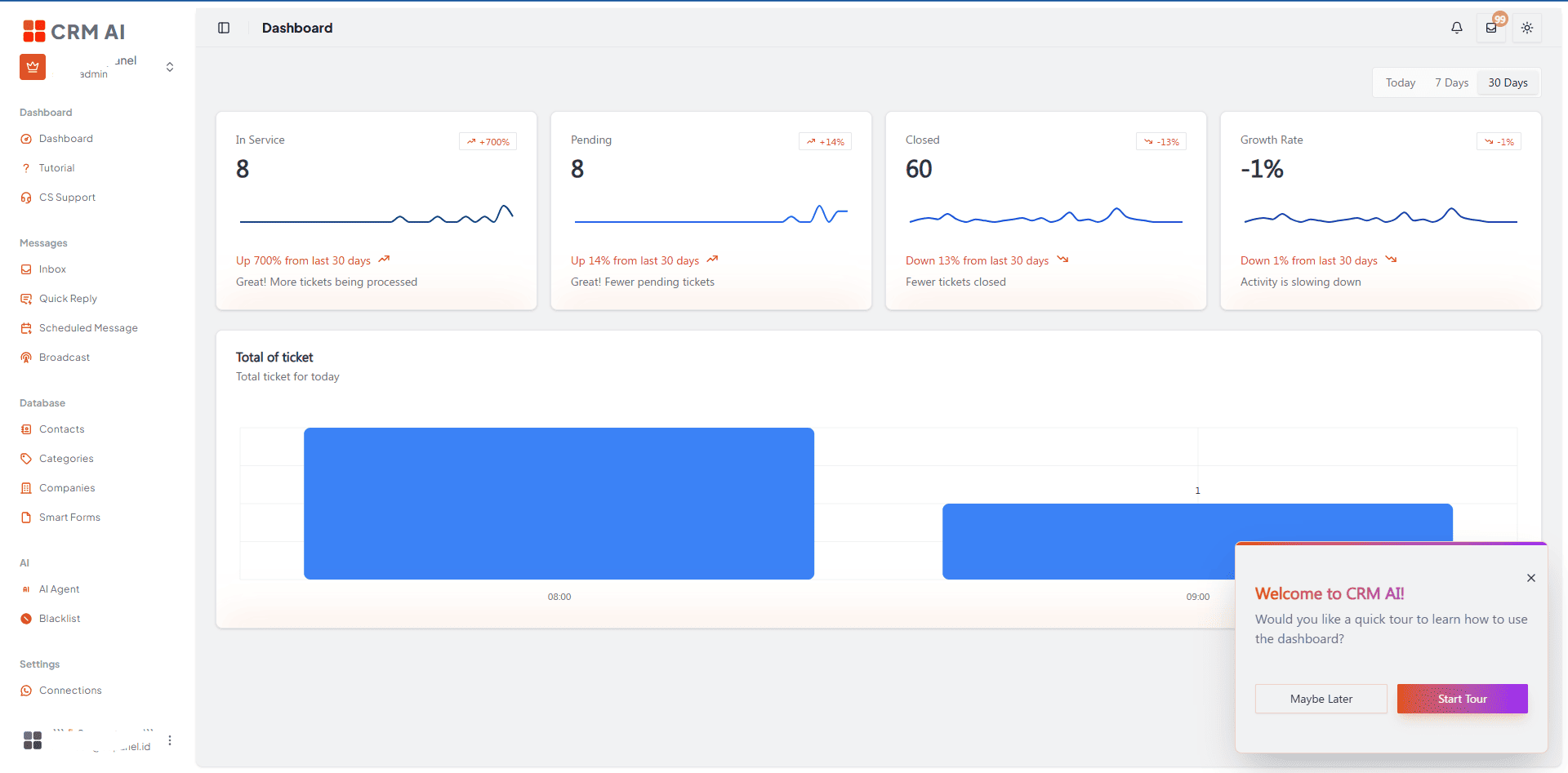
Dashboard metrics
Tickets currently being handled.
Pending tickets.
Closed tickets.
Growth rate.
Ticket totals over the selected period.
The dashboard supports time views such as Today, 7 Days, and 30 Days.
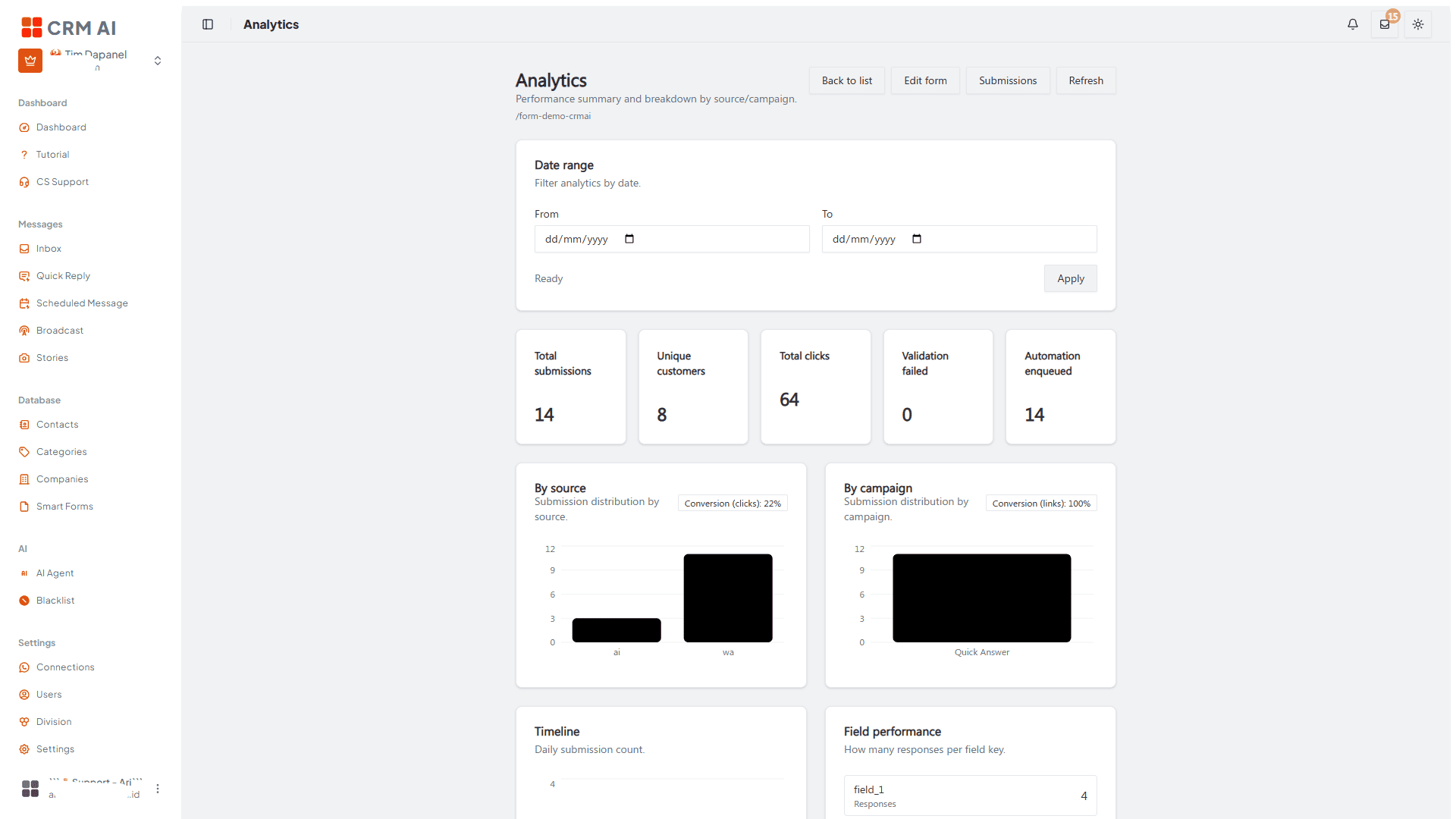
Smart Form analytics
Each Smart Form can have its own analytics page. Use it to review the performance of that form and compare it with submissions shown on the submissions page.
AI Usage
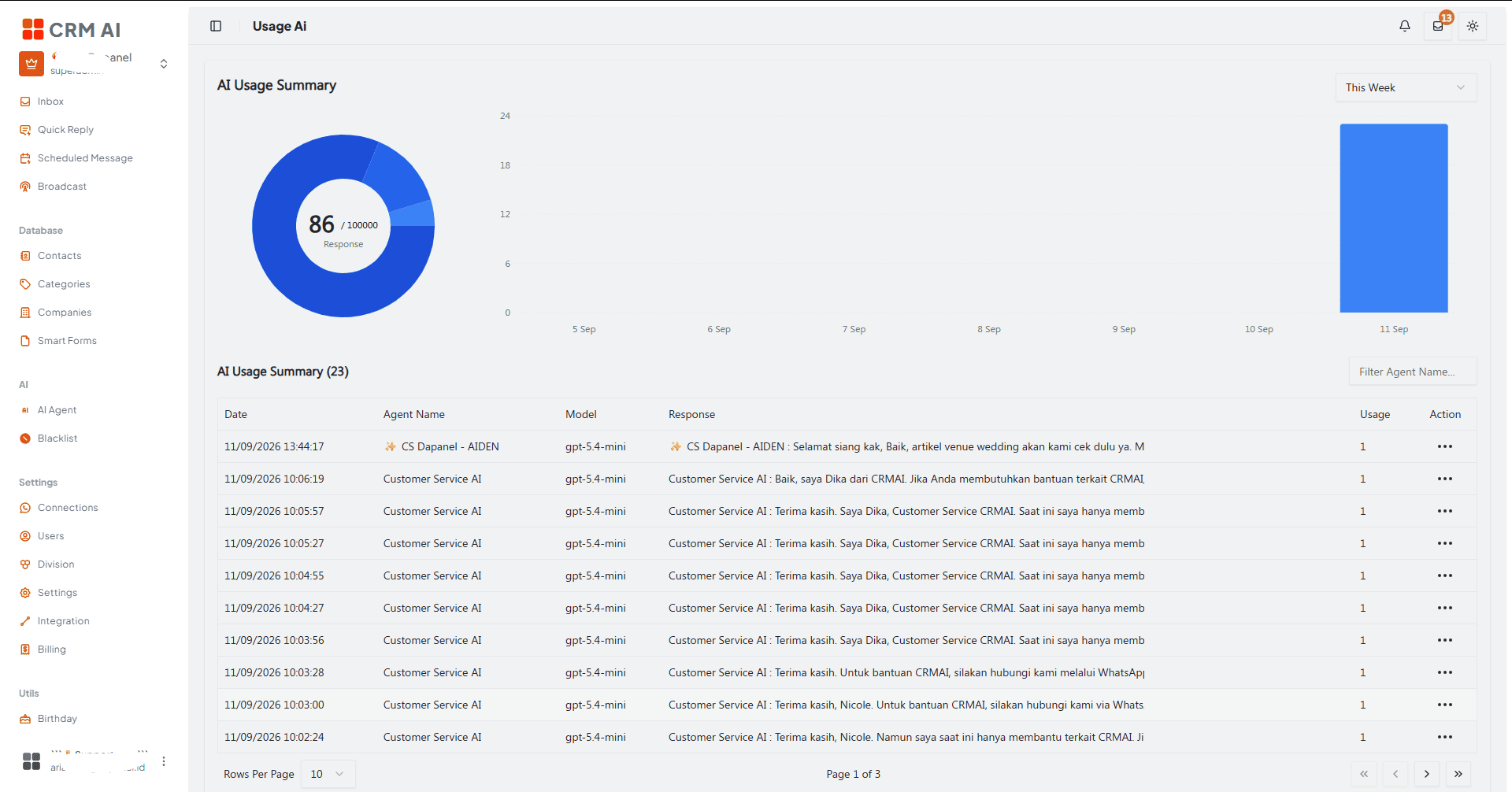
The Usage AI page (/{locale}/dashboard/usage-ai) shows:
AI Usage Summary — a donut chart showing total responses consumed against your plan quota (example: 86 / 100000 Response), plus a bar chart of daily usage over the selected period.
A date range filter (e.g., This Week).
A usage log table with columns: Date, Agent Name, Model (e.g.,
gpt-5.4-mini), Response (a text preview of what the agent replied), Usage (token/response count for that entry), and an Action menu.A Filter Agent Name search box and pagination (Rows Per Page, page indicator).
Review usage regularly before enabling expensive or high-volume workflows such as AI Audit across many tickets — see Plans, Billing & AI Tokens for what happens when your quota runs low, and Agent Tools for how tool usage and response length relate to consumption via Authority Limit Level.
AI Audit
Where AI Usage tracks volume (how many responses, how much quota), AI Audit measures quality — a per-conversation score covering sentiment, clarity, empathy, responsiveness, accuracy, and problem-solving, generated on demand from a ticket in the Inbox. Each audit costs 10 response tokens and takes 2–5 minutes to process.
Use AI Audit results alongside AI Usage and dashboard ticket metrics to get the full picture: usage tells you how much the AI is doing, dashboard metrics tell you ticket volume and status, and AI Audit tells you how well individual conversations were actually handled.
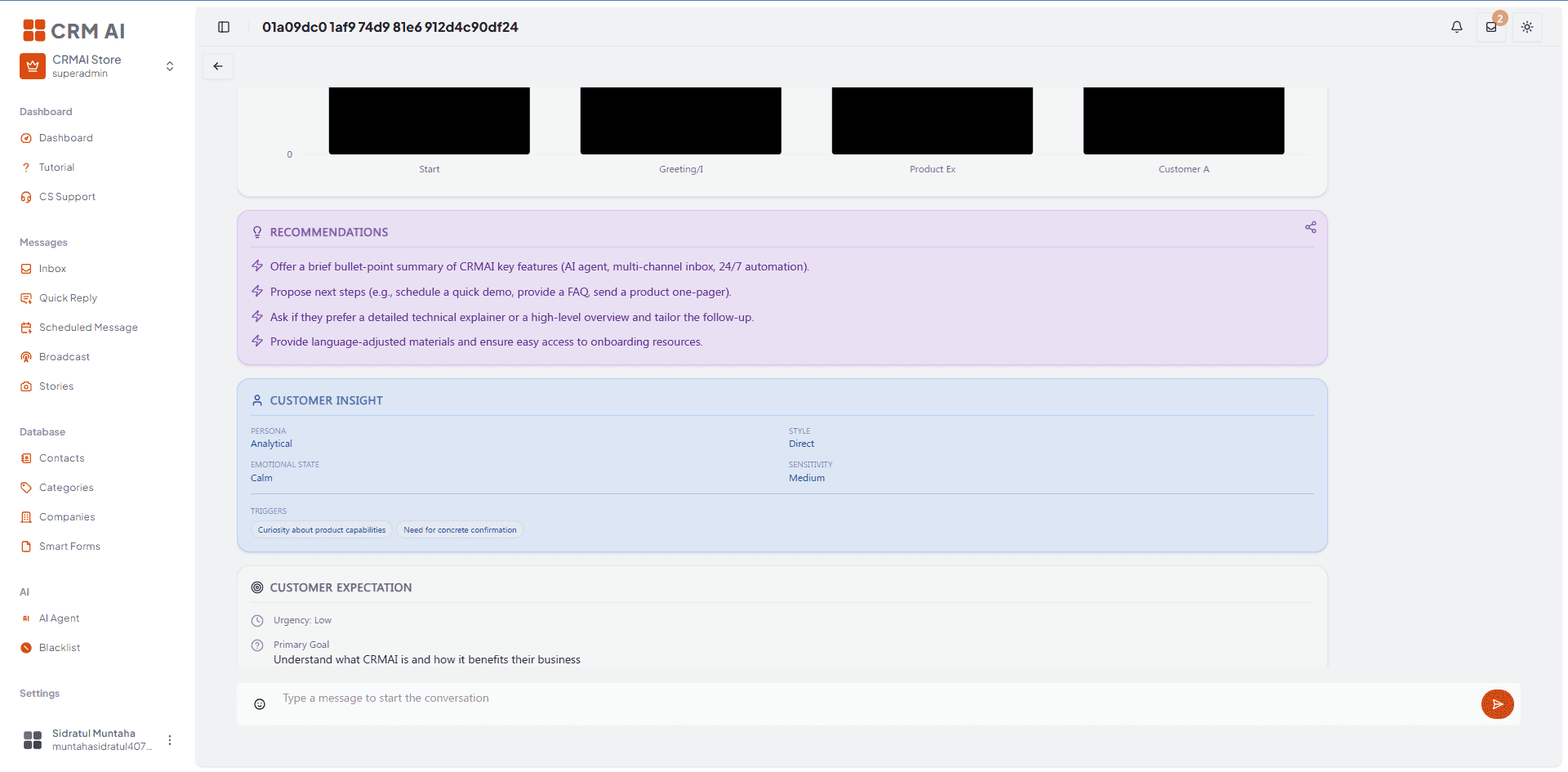
See AI Audit for the full procedure and report breakdown.
Reading analytics safely
Confirm the selected date range.
Compare dashboard totals with the underlying ticket or submission list.
Remember that filters, permissions, and archived data can affect what's visible.
Do not interpret visual demo data from marketing visuals as live workspace metrics.
Related: AI Audit · Smart Forms · AI Agent · Plans, Billing & AI Tokens