 CRMAI Docs
Try Free Demo
Try Demo creates a temporary CRMAI demo account with no credit card required. Demo credentials are sent to the email and WhatsApp number you submit, once the request goes through.
Opening the Try Demo page
Open /{locale}/try-demo from the public website. The page links back to the home page and to docs.crmai.id, plus a floating Contact Admin WhatsApp button if you need direct help.
Demo form fields
Field | Required | Description |
|---|---|---|
Full Name | Yes | Your name. |
Active Email | Yes | Where your demo credentials get sent. |
WhatsApp Number | Yes | Your WhatsApp number, in |
Business Name | Yes | Your business or organization name. |
How did you hear about us? | Yes | Where you found out about CRMAI. |
Available source options:
Google Ads
WhatsApp Story / Broadcast
Instagram / Social Media
Friend / Colleague Recommendation
Other
Submitting a demo request
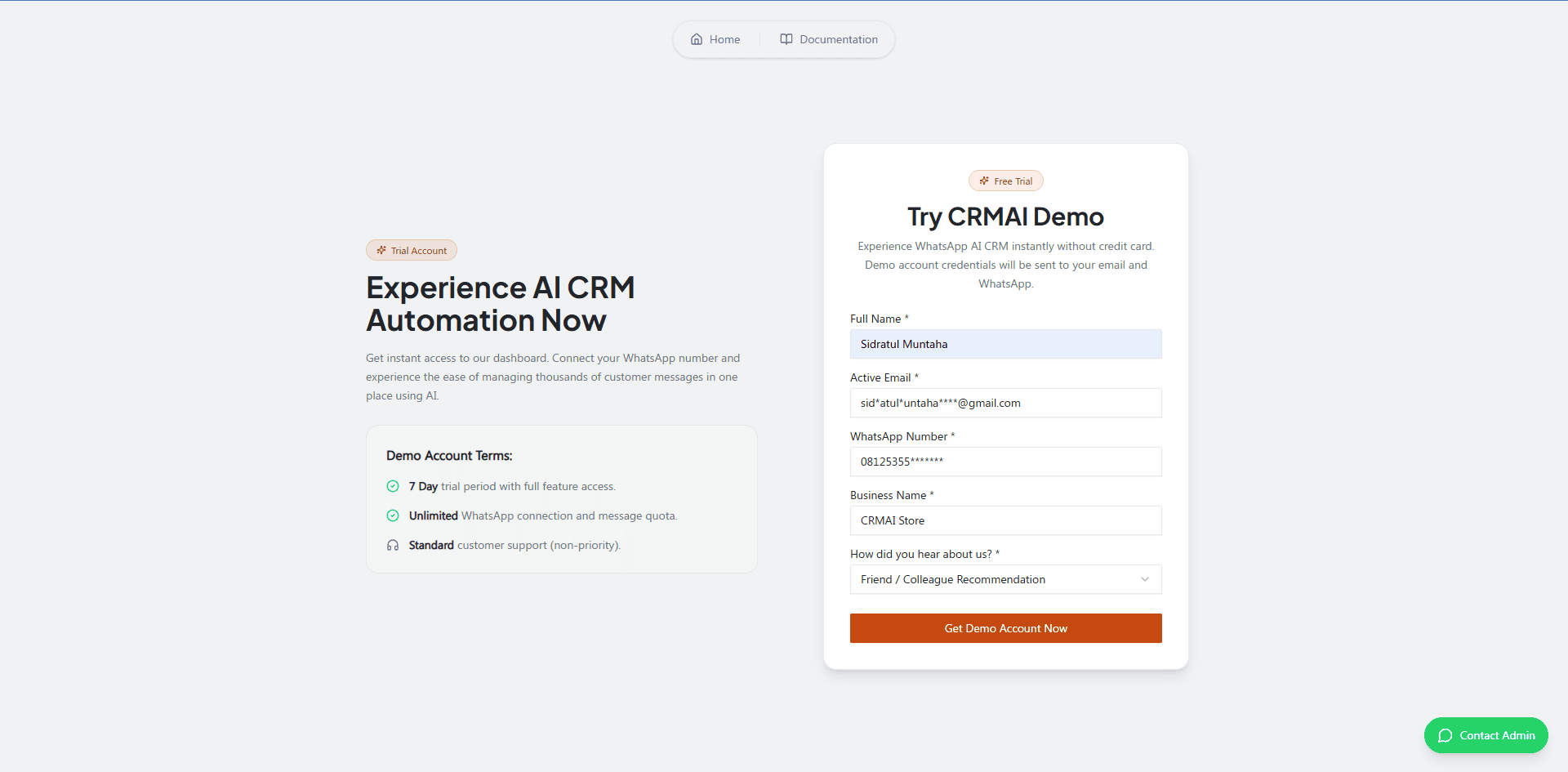
Enter your full name.
Enter an active email address.
Enter your WhatsApp number in
08xxxformat.Enter your business name.
Select how you heard about CRMAI.
Click Get Demo Account Now.
Wait a moment — the button switches to Processing Account....
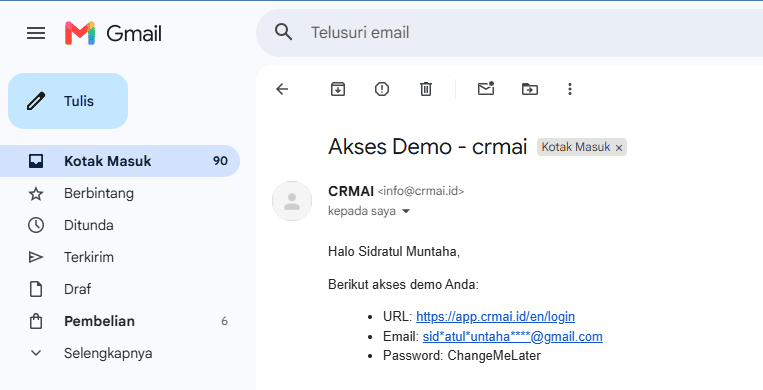
Check the email and WhatsApp number you submitted for your temporary credentials.
After your demo is created
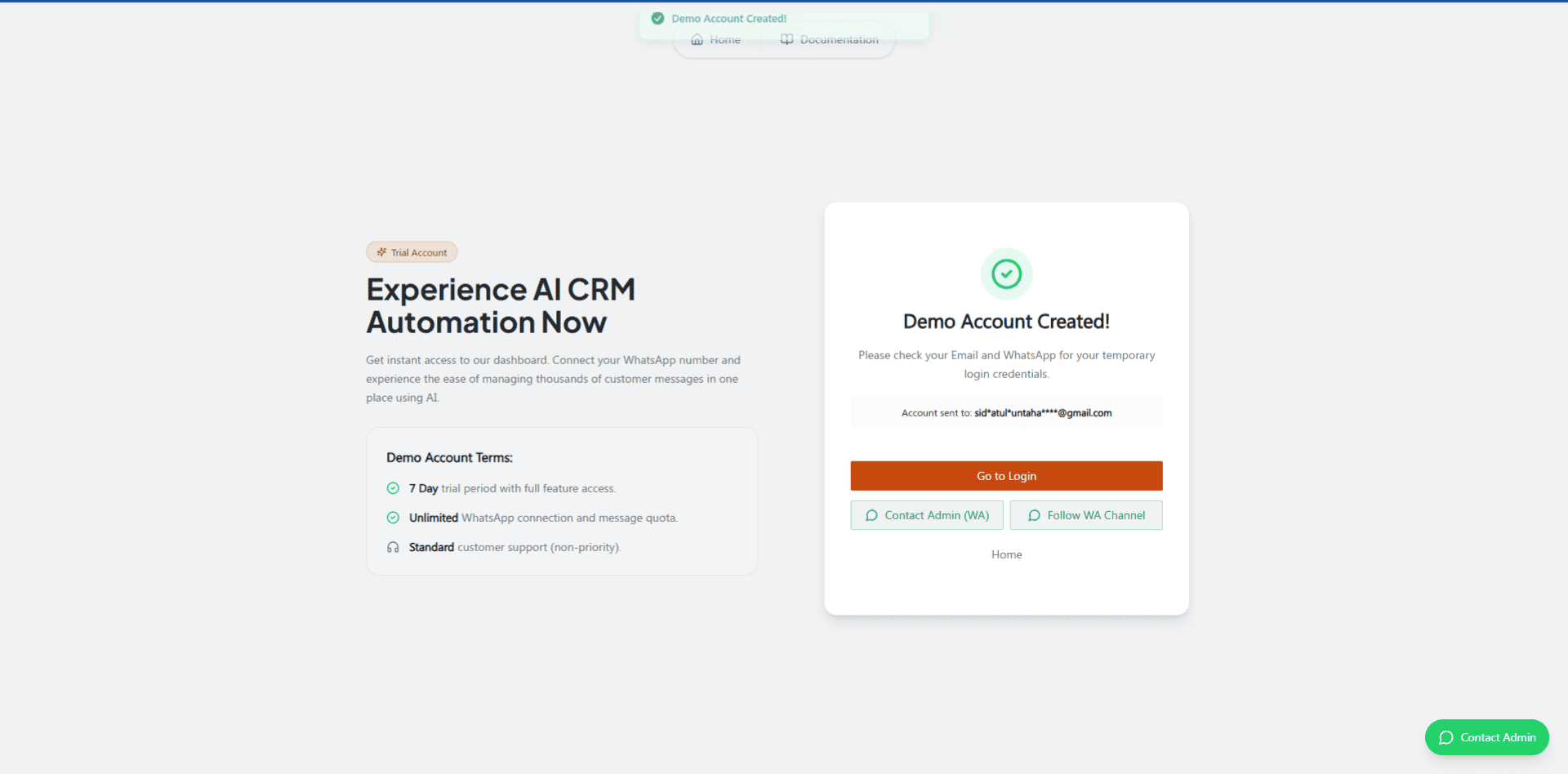
The form is replaced by a confirmation screen showing:
A "Demo Account Created" message.
The destination email/account info.
A reminder to check your email.
A Go to Login button.
Contact Admin and WhatsApp buttons, when available for your workspace.
What's included in the trial
A 7-day trial period.
Full feature access for the duration of the trial.
Unlimited WhatsApp connection and message quota.
Standard, non-priority support.
Troubleshooting
Issue | Fix |
|---|---|
A required field is empty | The form shows This field is required — fill in the missing field. |
Demo plan not found | The page shows a specific plan-not-found error — contact support if this keeps happening. |
Request fails for another reason | Check your connection and the values you entered, then try again once. |
Credentials never arrive | Check your spam/junk folder, and confirm the WhatsApp number you entered is correct. |
Don't submit the demo request multiple times while the button still shows "Processing Account."